 Bases
Bases
Description
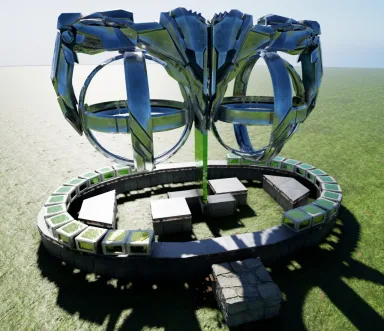
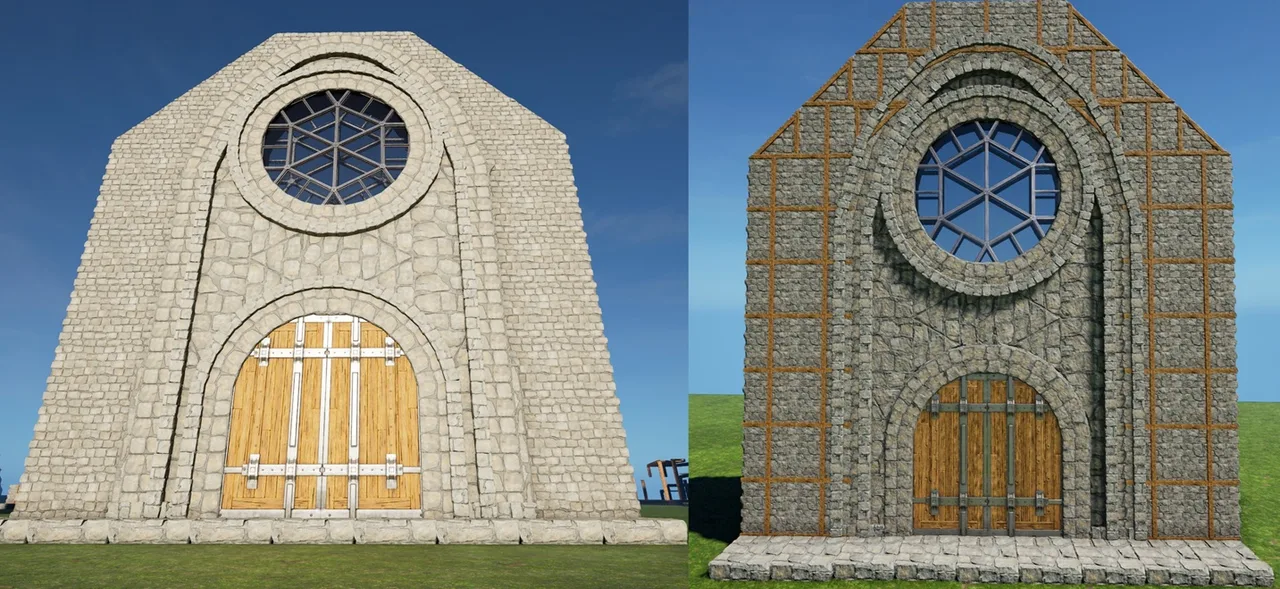
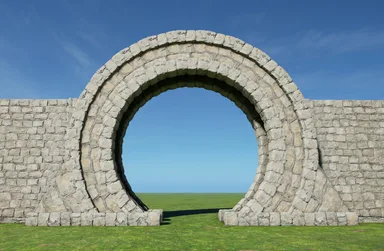
The New Chapel's Arch This build replicates the "Front Arch" i build for my Chapel at the end of 2025, but they patched it impossible and i never released it, so now i made THIS one for you all! The Gate-Arch, Window-Ring & outer Arch are one Build The CellarDoors & "Wall"Ceiling Plates are offset by -16 "inside" Which makes this 3 "independent" Builds with separate Support! (this could be all fused into one, but it would require a whole pile of offsets & supports, which dont make sense to have really) - Place this like any foundation, or glue it into any 7-9 gap in a wall (leave the central (north turned) Foundation & snap this to it) - Make sure its placed low/high enough that the 8 essential Pillars see Ground (see Screen) , the 4 lower ones should be barely off the ground & the 4 higher ones will be created by the Thatch Foundations, but need to end up "low" enough so they become Foundations! this will also make sure that the Scaffolding "outside" is at the right Height! ...some small Pillars below the Cellar Doors will not auto-build, its "normal", thats why they have 4 - Remove all Thatch (disconnect the Ramps from the "Rings" first, leave the Scaffolding till last, just to be sure) - Fill the Ring & Arches on both sides with small Ceilings (and the 1 wall ontop of the window ring!) - Fill in the front & back "WallCelings" and the Windows - If you want to close/attach the normal Walls, you have to remove the outer small Walls on the big Arch (see Screen) & let the Walls "cut into" the Arches ceilings now replace the Arches small Walls - As with the other Gates, just use Foundations to cut through the Arches "Feet" - Fill the Arch/Ring/Gate with PillarBeams as much as u like & to close evtl Holes! Fully decked-out this Build can end up at around 650 Pieces PS: you could use the Arch itself as "Roof", but it would cost 14 small & 6 normal Walls just to have one Foundation length covered, that adds up quick!^^ Enjoy
Comment l'obtenir sur console
Guide complet pour consoleLes joueurs sur console (PlayStation, Xbox) peuvent télécharger et placer ce modèle directement en jeu grâce au mod Template Hammer Importer.
- 1Installer le modOpen the in-game mod browser and search "Wikily" or "Template Hammer Importer".
- 2Fabriquer l'importateurLancez Solo + Mode créatif et fabriquez le Wikily Template Importer (1 fibre).
- 3Saisir l'ID du modèleUtilisez l'objet, saisissez l'ID de modèle
3038et l'index de construction, puis placez-le.



 Décoratif