INI 產生器
計算器
畫面比較
Move the slider to compare the visual differences. Have another INI configuration to share? Post it in the ARK feedback channel. 加入Discord
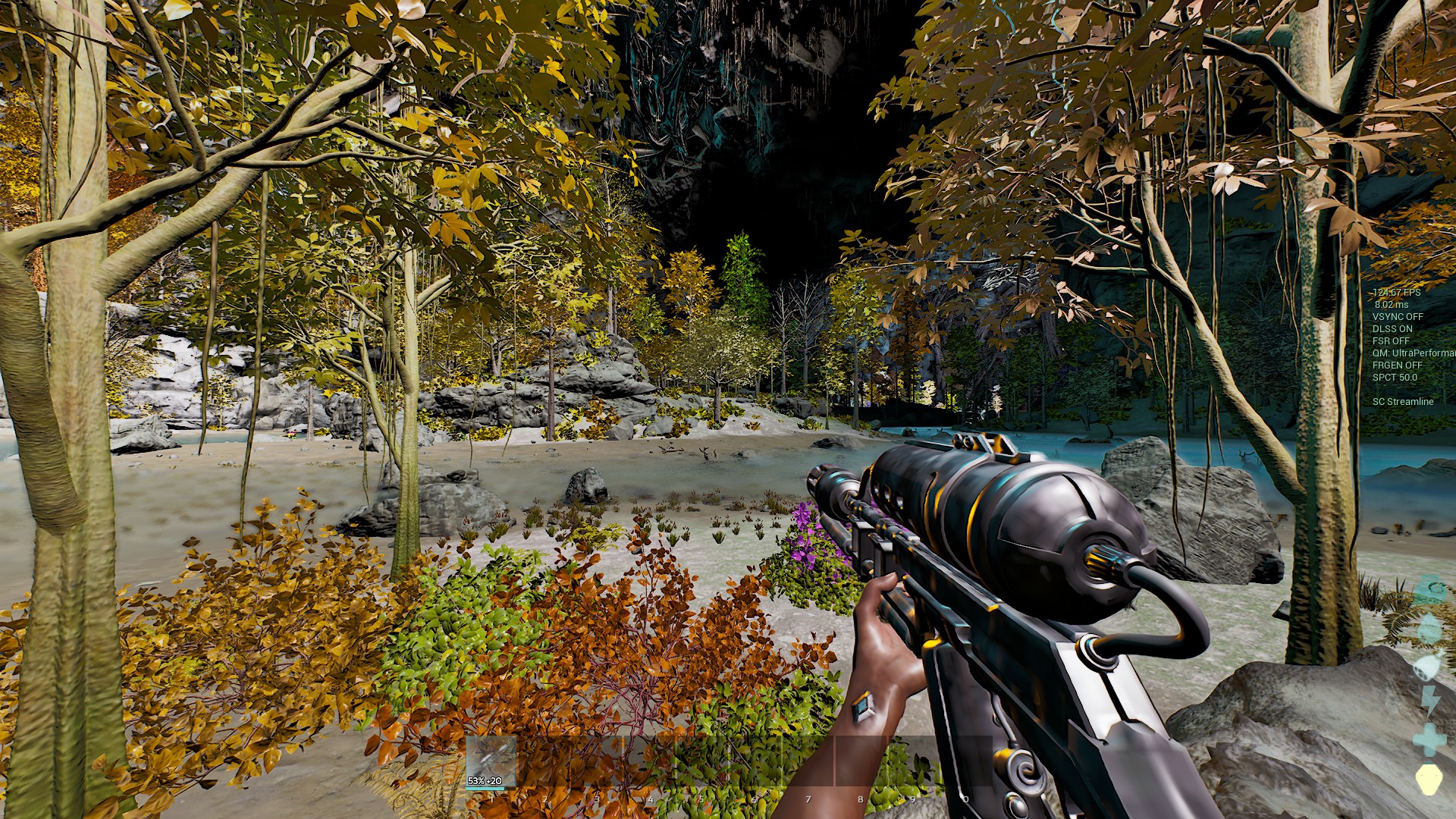
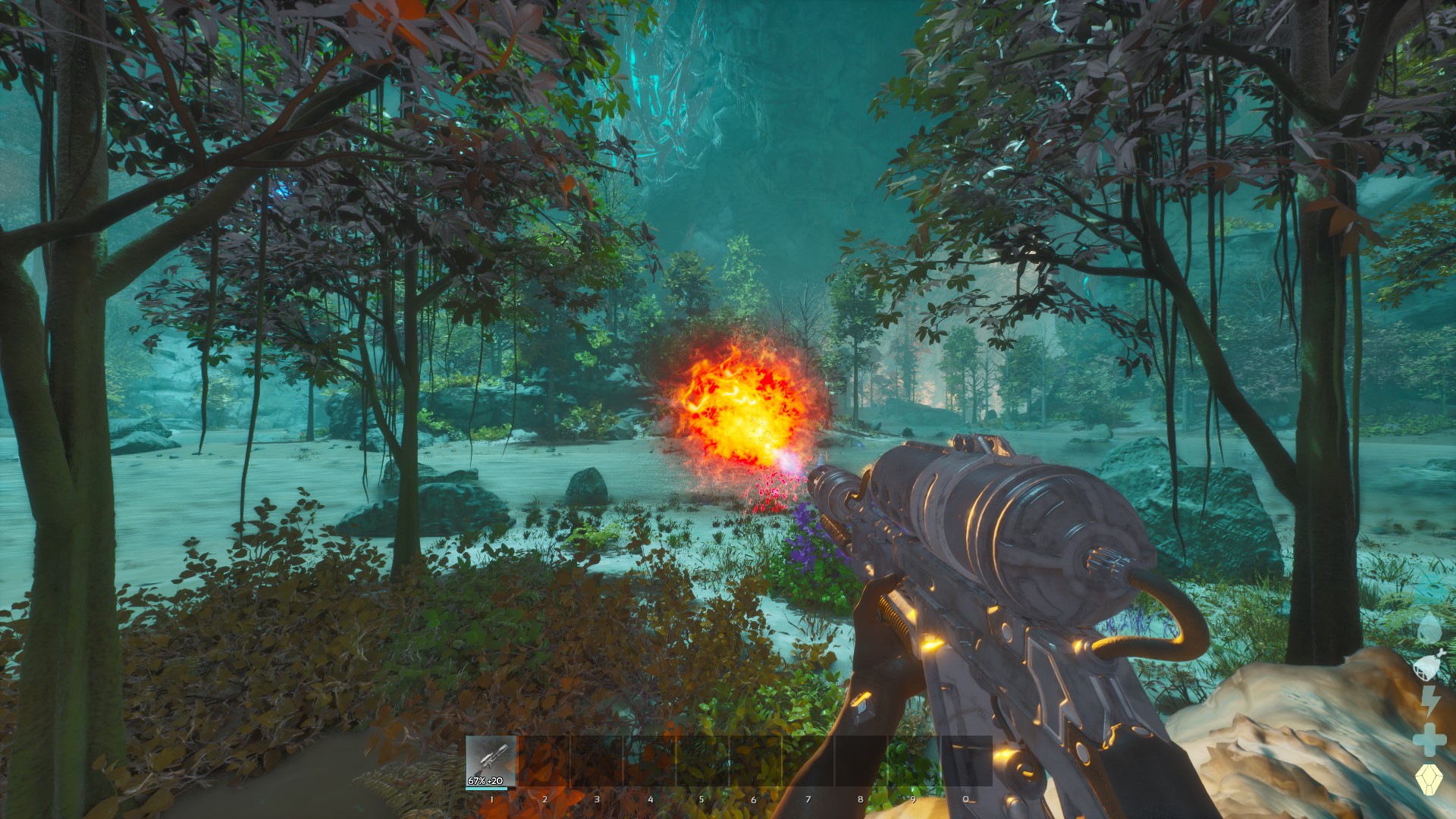
拖曳控制桿以比較預設畫面與所選畫面。按兩下可將其置中。
產生的控制台指令
r.ScreenPercentage 100 | r.vsync 1 | t.MaxFPS 60 | r.Tonemapper.Sharpen 0 | r.VolumetricCloud 1 | r.VolumetricFog 1 | r.Fog 1 | r.SkyAtmosphere 1 | r.ShadowQuality 3 | r.Shadow.Virtual.Enable 1 | r.Shadow.CSM.MaxCascades 4 | r.ContactShadows 1 | r.DistanceFieldShadowing 1 | r.Lumen.Reflections.Allow 1 | r.Lumen.DiffuseIndirect.Allow 1 | r.Lumen.Reflections.Contrast 0 | r.Lumen.ScreenProbeGather.RadianceCache.ProbeResolution 128 | r.DynamicGlobalIlluminationMethod 1 | sg.GlobalIlluminationQuality 3 | r.Water.SingleLayer.Reflection 1 | r.SSR.Quality 4 | r.SkylightIntensityMultiplier 1 | r.LightShaftQuality 1 | r.LightCulling.Quality 1 | grass.SizeScale 1 | grass.DensityScale 1 | grass.Enable 1 | sg.FoliageQuality 3 | foliage.LODDistanceScale 1 | r.foliage.WPODisableMultiplier 0 | r.BloomQuality 5 | r.DepthOfFieldQuality 2 | r.MotionBlur.Amount 1 | r.EyeAdaptationQuality 2 | r.PostProcessing.DisableMaterials 0 | r.Color.Grading 1 | r.LensFlareQuality 2 | ark.MaxActiveDestroyedMeshGeoCollectionCount 100 | FX.MaxCPUParticlesPerEmitter 100 | fx.MaxNiagaraGPUParticlesSpawnPerFrame 100 | fx.EnableNiagaraSpriteRendering 1 | sg.EffectsQuality 3 | sg.TextureQuality 3 | r.MipMapLODBias 0 | r.Streaming.PoolSize 3000 | r.Nanite.MaxPixelsPerEdge 1 | wp.Runtime.HLOD 1 | r.DetailMode 2 | r.MaxAnisotropy 8 | r.FidelityFX.FSR3.Enabled 0 | r.FidelityFX.FSR3.UseNativeDX12 0 | r.NGX.DLSS.Enable 0 | r.VT.EnableFeedback 1 | r.AOOverwriteSceneColor 0 | Slate.GlobalScrollAmount 20 | r.Water.SingleLayer 1 | r.Shading.FurnaceTest 0 | r.Shading.FurnaceTest.SampleCount 1 | r.SetNearClipPlane 10 | r.GlobalMinDirectionalLightAngle 0 | r.RefractionQuality 2 | r.TemporalAA 1 | Gamma 3設定
3/68項設定
如何使用
- Select the performance features you want to enable.
- Copy the generated commands.
- Open ARK and press Tab to open the console.
- Paste the commands and press Enter.
- For permanent settings, add them to your GameUserSettings.ini file.