
Mods & CC
Paralives Mods & Custom Content (CC)
Every Paralives mod and custom content (CC) item from the Steam Workshop in one searchable index, refreshed from the Workshop every hour. Each entry links straight to its Workshop page, where you subscribe.

Browse all mods
 Household
young adult mom with 2 teen daughters all are over joyed good at takng care of others and jack of all trades
 Household
uhhhhhhhhhhhhhhhh
 Mod
jnlnlnj
 Household
Elemental roomies
 Household
just a para folk i created for a friend
 Household
My first para
 Household
tukkuuuuuuuuuuuuuu
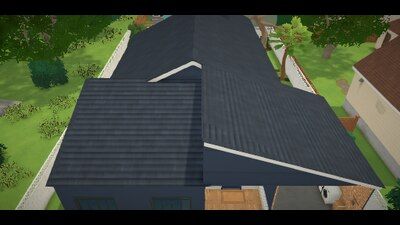 Lot
Casa azul aconchegante
 Mod
test 1
 Household
Just me and the hubs
 Mod
oksndsknsdd
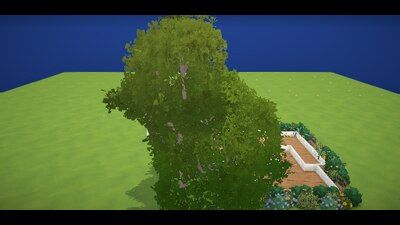 Lot
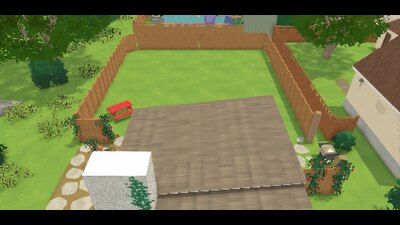
木色调绿植温室,三室两卫
 Lot
Nice little home
 Household
hkhhjhhhjhkhjhk
 Household
Highest rank artist and graphic designer with great amounts of financial funds.
 Household
Malo, Traveling Couple
 Household
Alternative girl for your Para world :D
 Household
nosotros xd
 Household
4 maia mong twat poo
 Household
4 young adults with different interests
 Household
two young adults in a romantic relationship
 Household
Cute family of 6
 Household
three young adults one couple
 Household
Juste un pti dude
Mod names and descriptions are shown in their original language, as their authors wrote them on the Steam Workshop.

How do I install a Paralives mod?
1. Open the Paralives Workshop on Steam and click Subscribe on a mod.
2. Steam downloads the mod for you.
3. Launch Paralives. The new content shows up in the matching tab, such as Build Mode or the Paramaker.
4. To remove a mod, unsubscribe in Steam. Paralives unloads it the next time you launch the game.
Frequently Asked Questions
What kinds of mods can Paralives load?
The Workshop sorts items into categories: Modpacks change gameplay or add content such as new items, Households are pre-built Parafolk families, and Houses are pre-built lots you can place in your town.
Do mods break when Paralives updates?
Sometimes. Modpacks that change game settings are the most fragile, because a game update can rename or restructure what they change. Households and Houses usually hold up better. Check a mod's Workshop comments after a patch.
Where do I report a broken or NSFW mod?
Use the Report button on the mod's Steam Workshop page. The Workshop handles moderation, comments and ratings, and every entry on this wiki links to it.
What is Paralives CC (custom content)?
CC means custom content: player-made items such as hair, clothing and furniture. In Paralives, CC ships as Steam Workshop items, and this index lists them all, searchable and filterable by category, with a direct link to subscribe.