Console Guide
/building-templates/consoles-guide
<p><a href="/x-ark-survival-ascended/building-templates">Back to Building Templates</a></p>

Console Guide
How to use building templates on PlayStation, Xbox, and PC with the Template Hammer Importer mod
<p>The Template Hammer Importer is a mod that lets you download building templates from Wikily.gg directly in-game. Console players normally can't import templates because there's no clipboard access. This mod fixes that.</p>
Installing the Mod
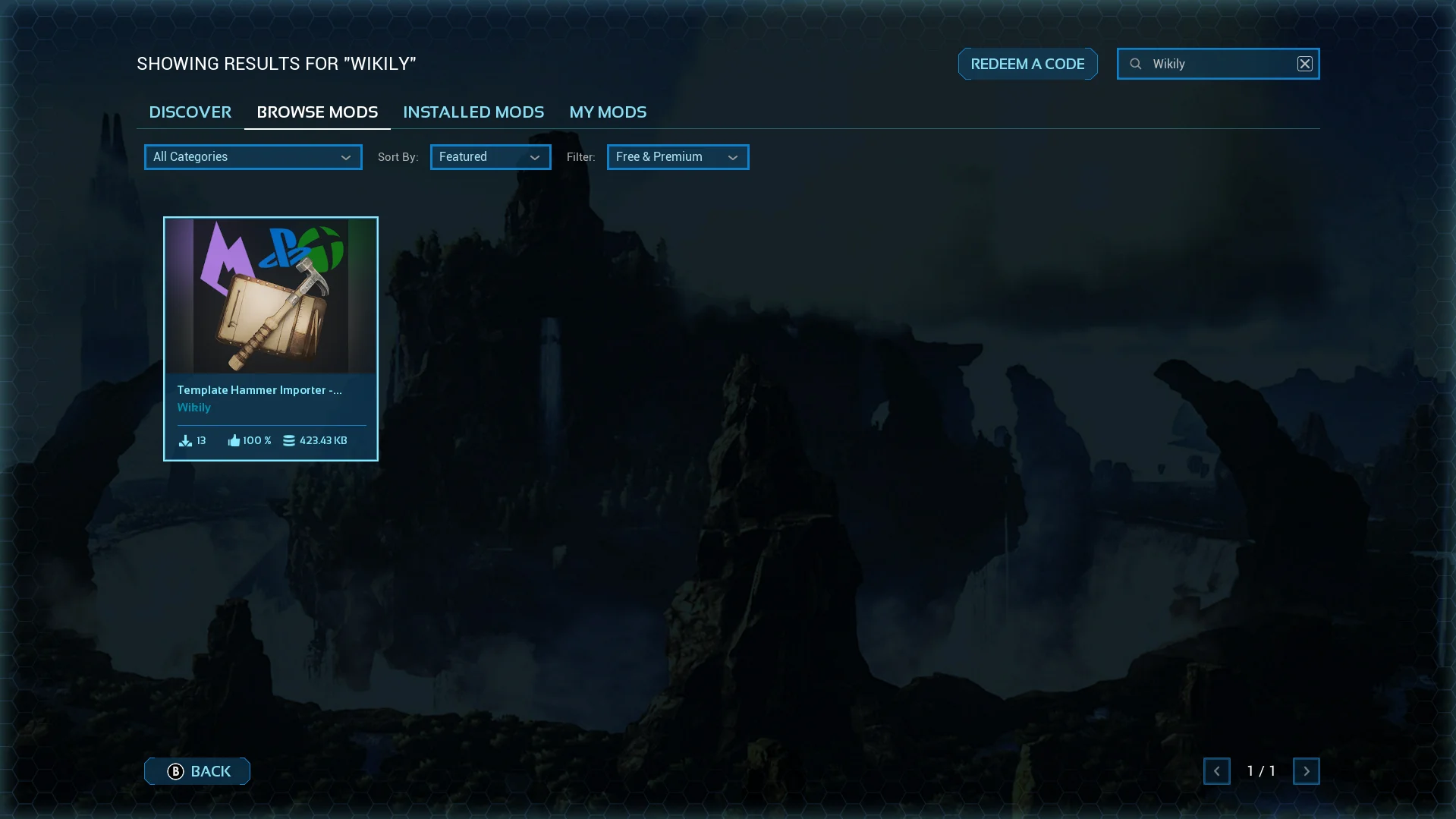
1. Search for the mod
<p>Open the in-game mod browser and search for "Wikily" or "Template Hammer Importer".</p>
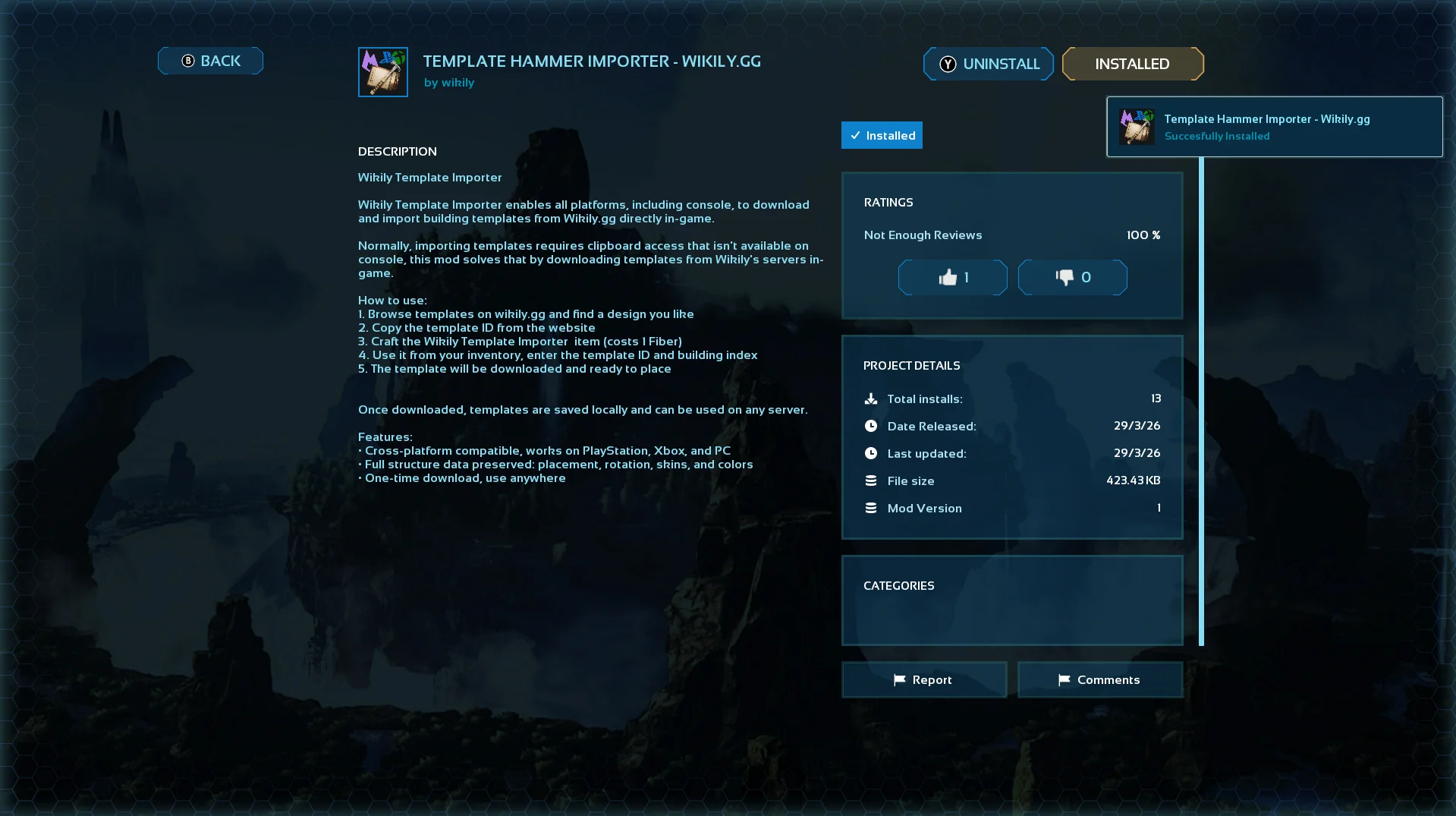
2. Install it
<p>Click on the mod and hit install.</p>
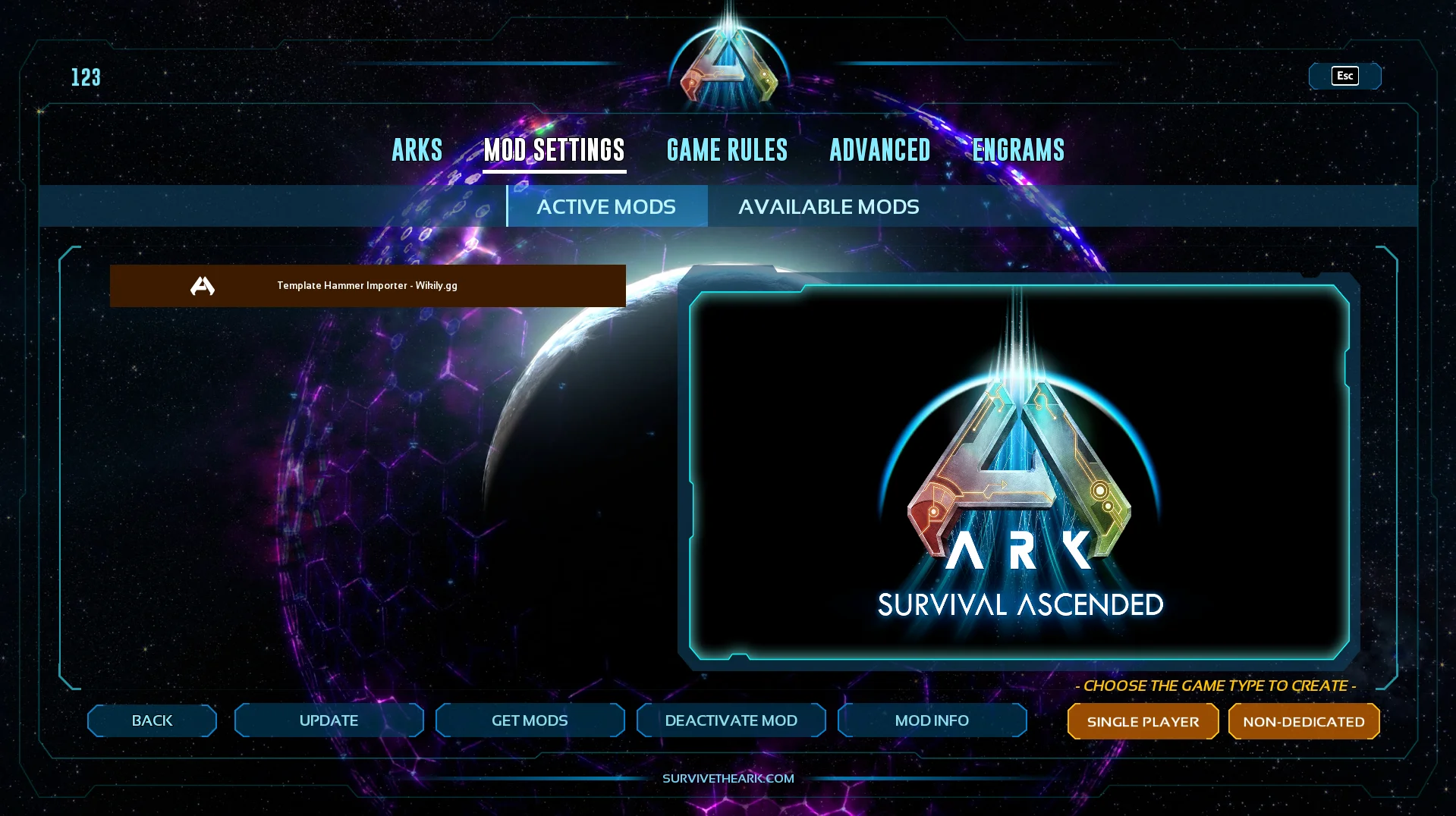
3. Activate it
<p>Go to Available Mods and make sure the mod is active.</p>
Using It
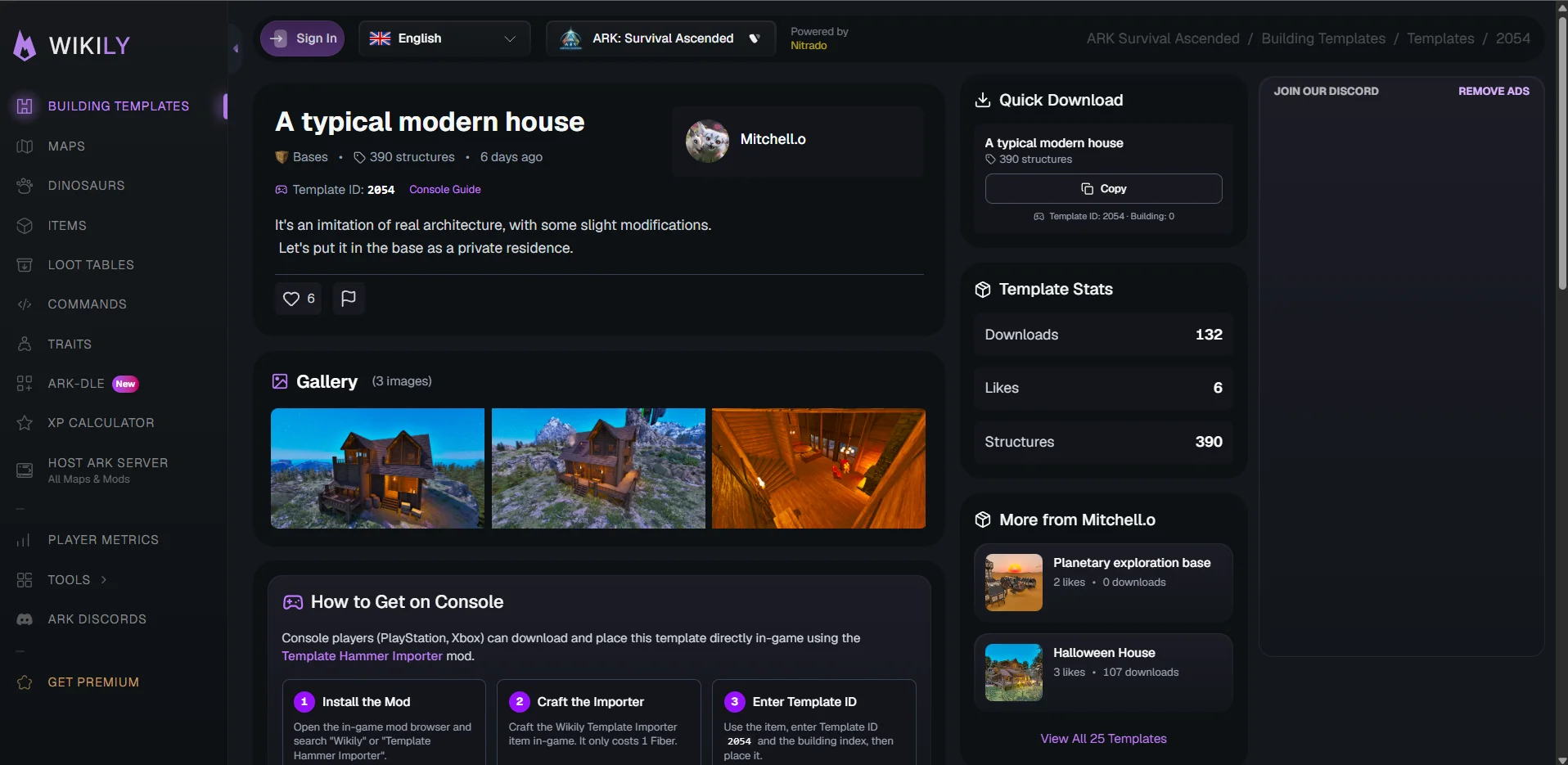
4. Find a template and note the IDs
<p>Browse templates on Wikily.gg and pick one you like. At the top of every template page you will see the Template ID.</p>
<p>If the template has multiple buildings (because of the 2,000 structure cap), each building also has a Building ID (0 for the first, 1 for the second, etc.). You will find those in the download section.</p>
<p><a href="/x-ark-survival-ascended/building-templates/templates">Wikily.gg</a></p>
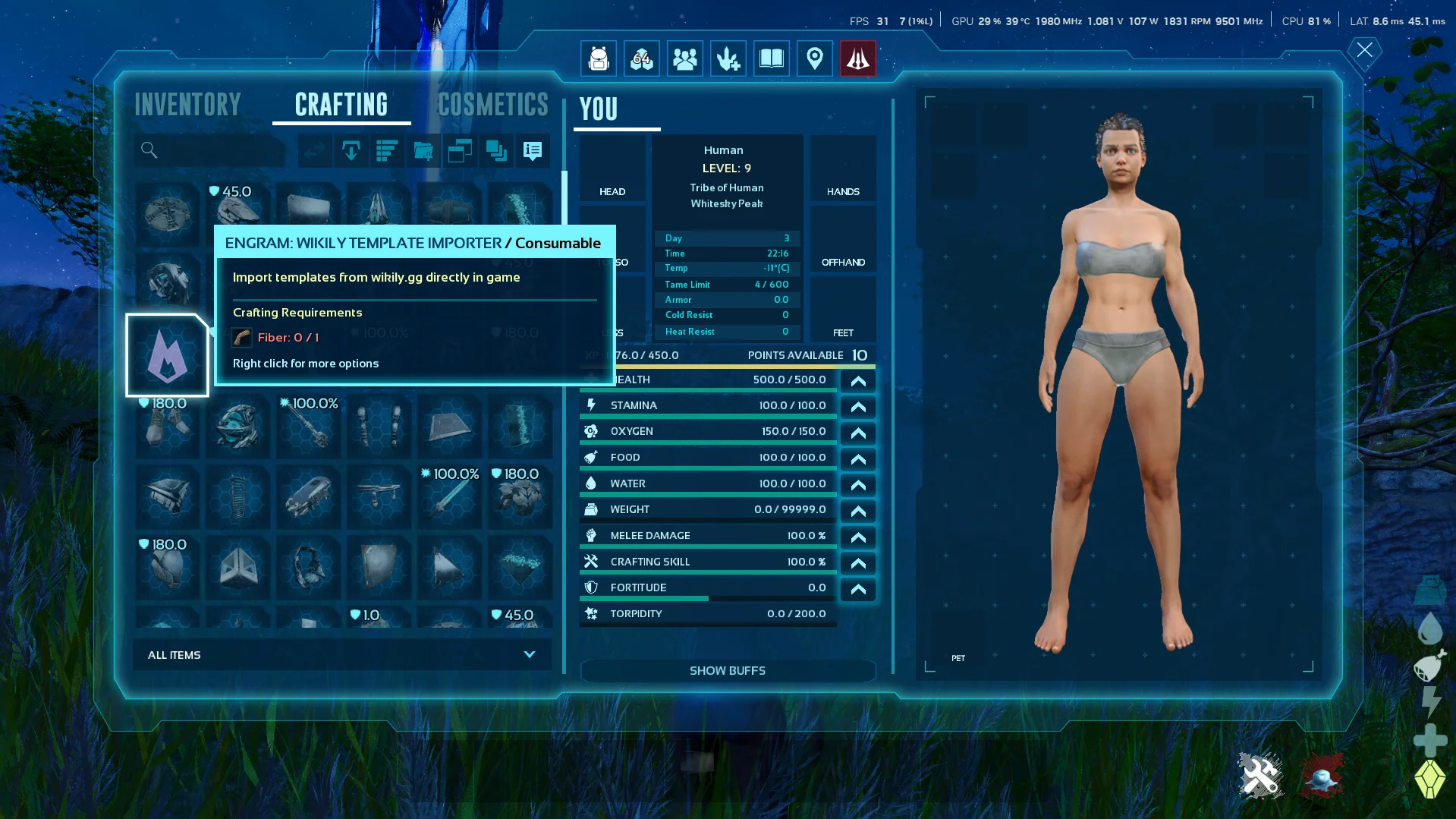
5. Craft the Wikily Template Importer
<p>Go into Singleplayer and enable Creative Mode, then craft the item. It costs 1 Fiber.</p>
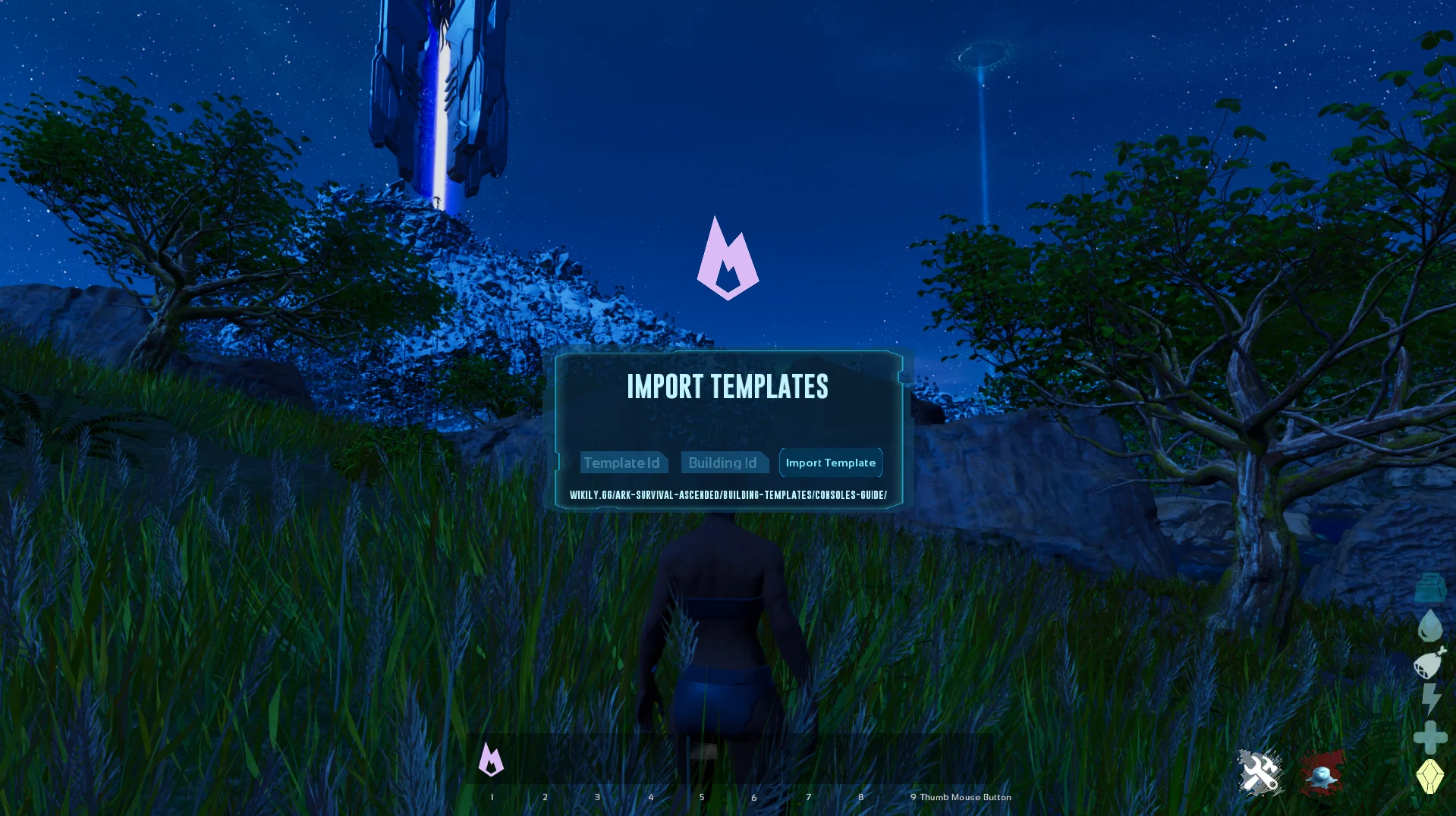
6. Enter the Template ID
<p>Use the item from your inventory. Enter the Template ID and the Building ID (defaults to 0 if the template only has one building).</p>
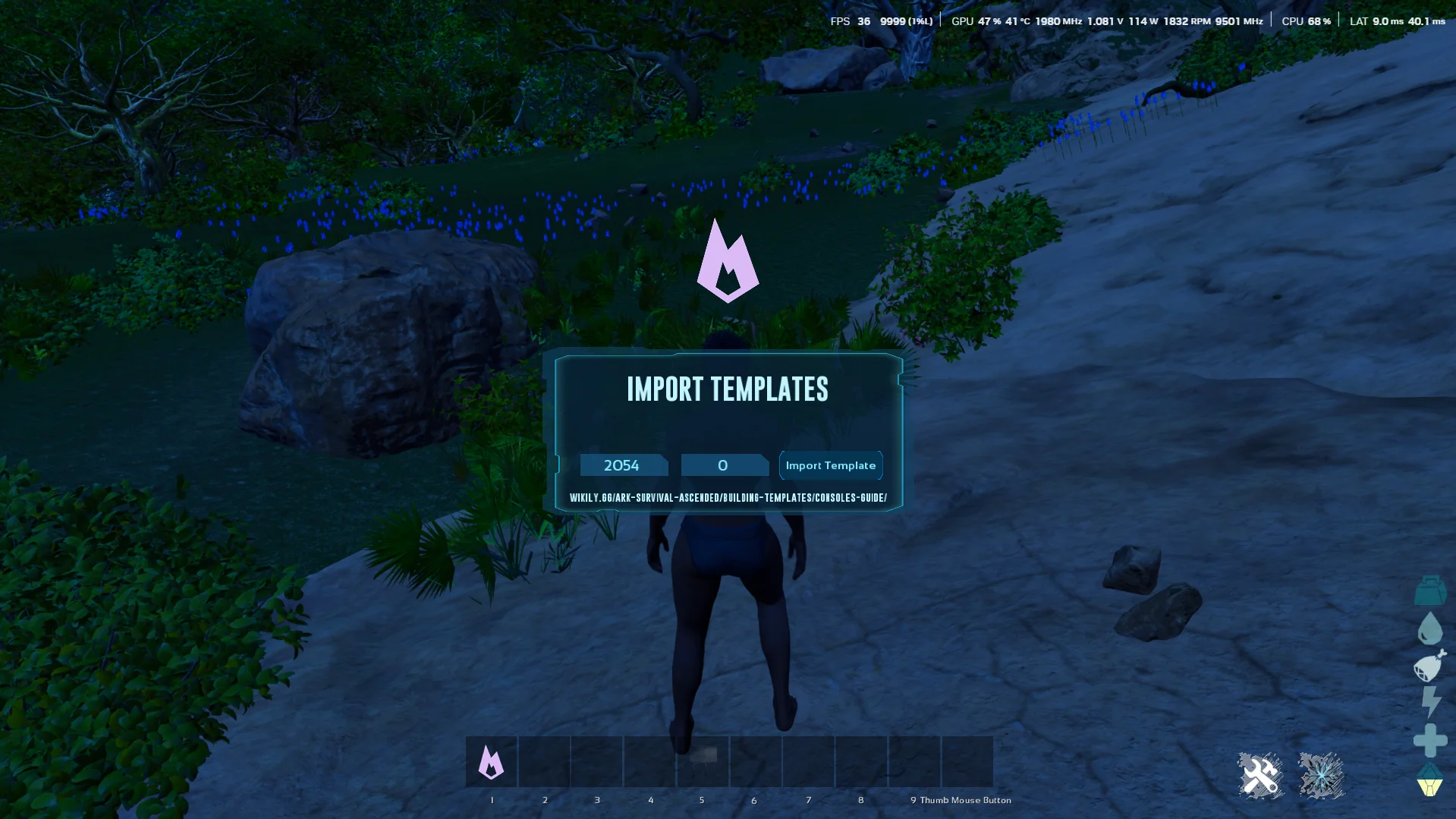
7. Import the template
<p>Press Import Template. The template downloads from Wikily's servers.</p>
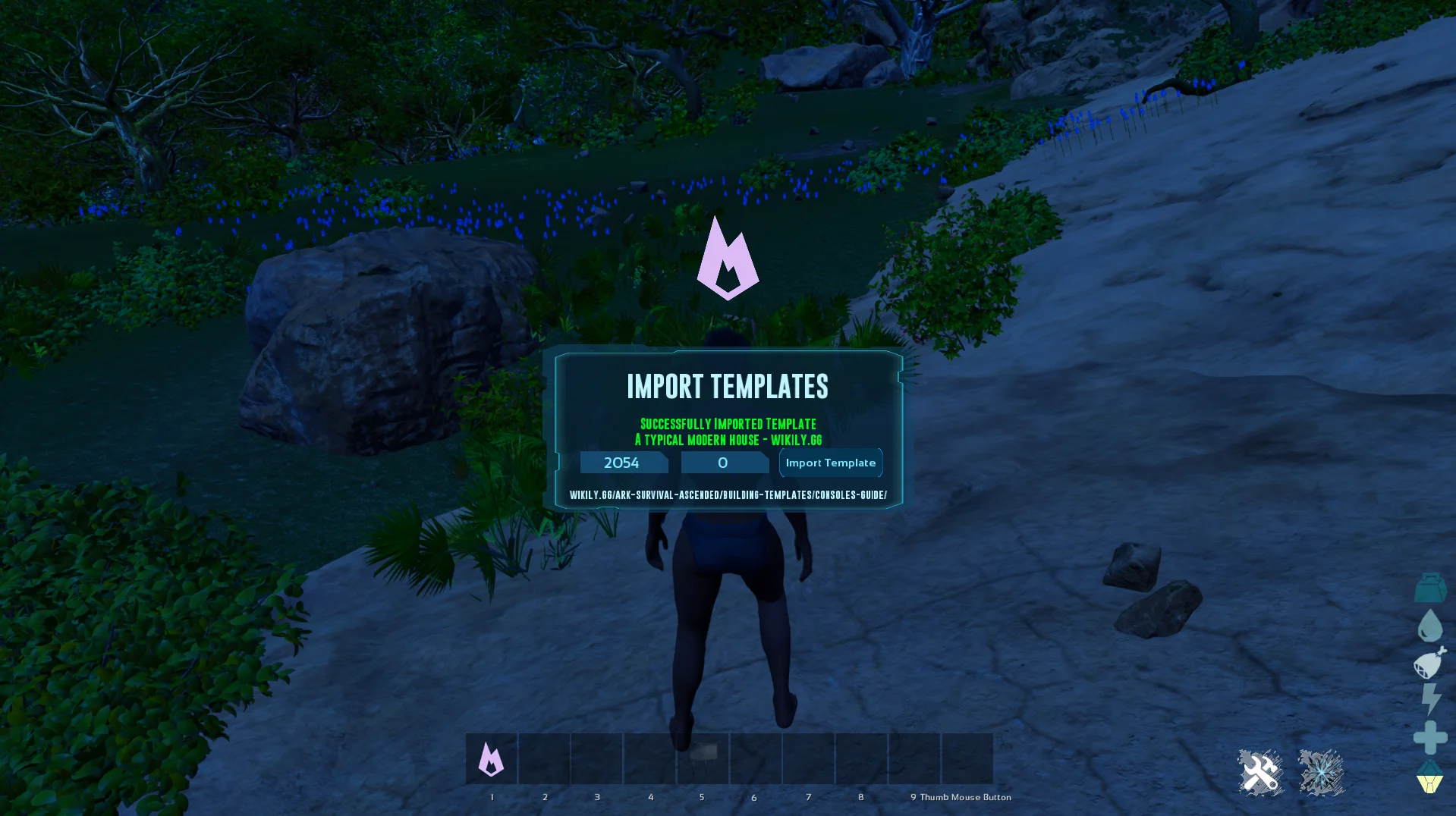
8. Done!
<p>The template is now saved locally. You can place it right away, and reuse it on any server without downloading again.</p>
Ready to build?
<p>Browse thousands of community-made building templates.</p>