 Funktional
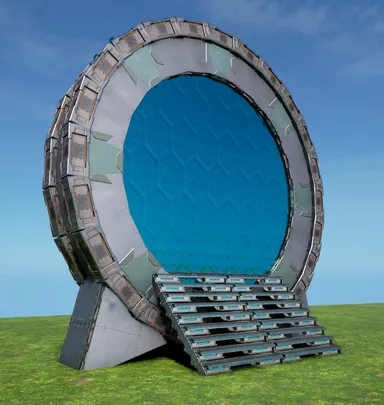
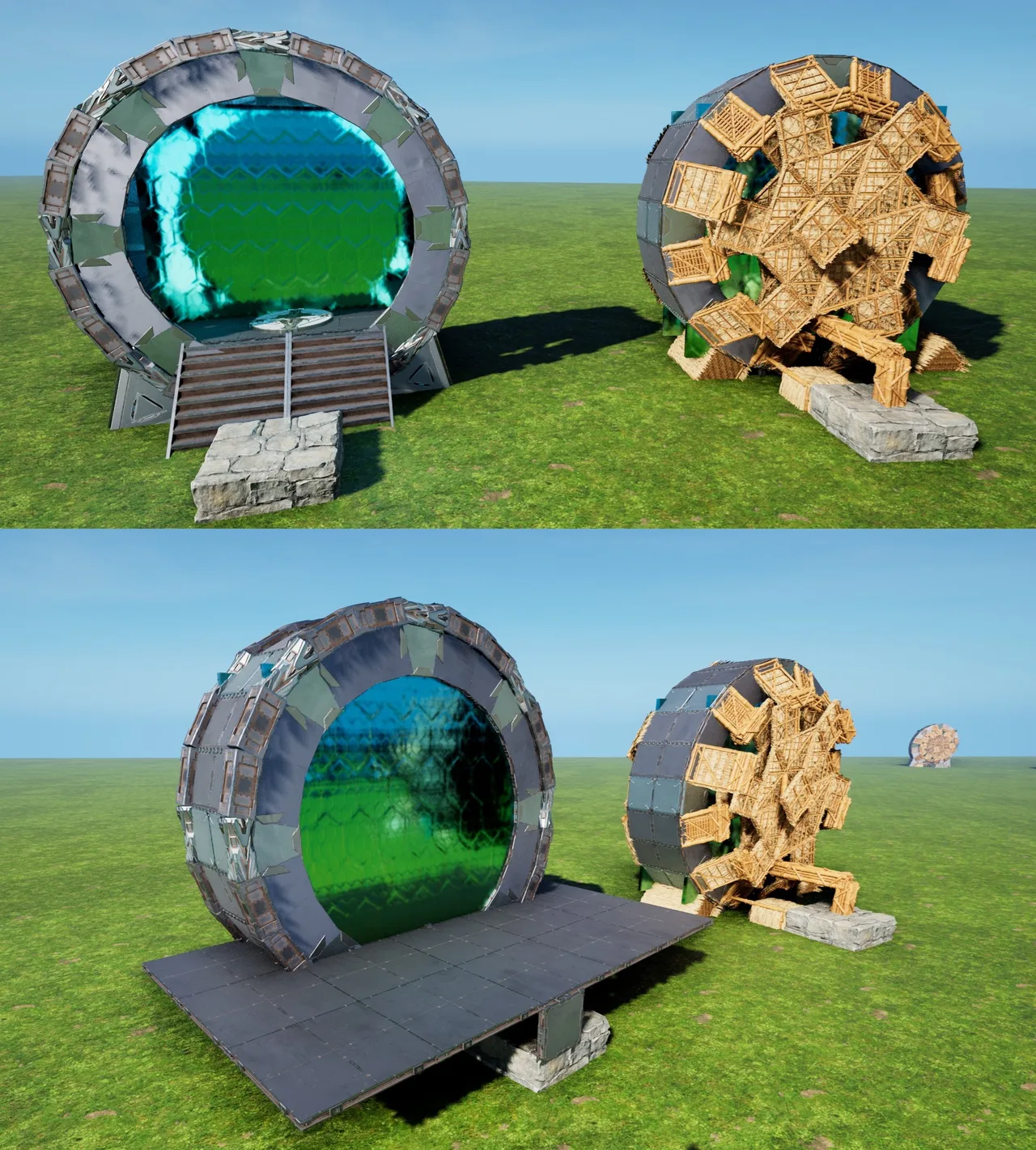
Thick Teleporter Stargate
 mhoHochgeladen am 7. Okt. 2026
- 235Strukturen
- 1Gebäude
- 13Downloads
- 3Likes
Beschreibung
This places a full-Wall-thick Stargate, able to have a small Teleporter inside. I only build this because i thought it would be pretty cool to literally step into & out-of a Stargate for Teleportation! Its functionally the same as the "new Stargate"[wikily 3049], just 1 Wall thick, instead of a Half. This also creates Everything from Foundations, instead of Pillars, to make Placment easier. - I would say, place this just low enough, that the Ring stands fully on the Ground(might be sunken in tho) - The CellarDoors stand on Pillars and cant touch the Ground, so atleast those must be "high enough for their Pillars" [All Pillars are forced into existence by Foundations on this Build(to avoid the annoying "cant place Pillar at this Height" Sweetspots) feel free to experiment, but a floating Gate seems weird tbh...yet it should be able to be snapped/build pretty high, if you want it in/on a Ceiling!... and ofc a floating Ring needs some Ground-contact, like adding an extra smallFoundation or something] - remove all Thatch Foundations & Ramps and the Scaffolding will just peel-off - Fill in the missing lowest Walls & Ceilings[use the right Flip on the TekCeilings, or the "Chevron" outside will be darker then the rest] - To fill the Gate's Floor, Add 4 quarterCeilings & 2 Ceilings onto the central Pillar - Add 4 Stairs (on the quarterCeilings) and a Teleporter - Fill the outer Rim with Pillar-Beams to your liking and to cover-up most of the Gate's "Ears" - use whatever cover-up you like to hide the Gate's lower end (i prefer TriangleCeilings+Wall, but up to YOU) ...AND YOU ARE DONE! PS: Like the newStargate, the "Floor" is just half a wall higher then the CellarDoor/StoneFoundation & could also be used to make the Gate "Part of a Ceiling" Enjoy & expand the Gate Network ;)
So geht es auf der Konsole
Vollständige KonsolenanleitungKonsolenspieler (PlayStation, Xbox) können diese Vorlage mit der Template Hammer Importer Mod direkt im Spiel herunterladen und platzieren.
- 1Mod installierenÖffne im Spiel den Mod-Browser und suche nach „Wikily“ oder „Template Hammer Importer“.
- 2Importer herstellenWechsle in den Einzelspielermodus + Kreativmodus und stelle den Wikily Template Importer her (1 Fasern).
- 3Vorlagen-ID eingebenVerwende den Gegenstand, gib die Vorlagen-ID
3114und den Gebäudeindex ein und platziere ihn dann.


 Basen
Basen
 Deko
Deko