BasenNicht gelistet
AceV3lookout
- 1.110Strukturen
- 1Gebäude
- 0Downloads
- 0Likes
Beschreibung
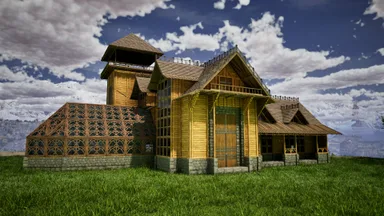
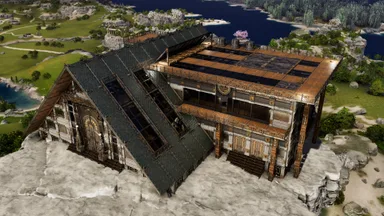
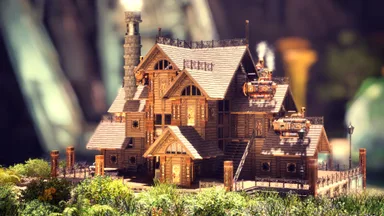
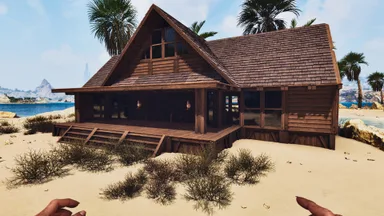
NEMEZIZ LOOKOUT S0 V2 — QUICK PLACEMENT GUIDE Goal Lock the template into the sea-facing orientation and reduce the remaining lower C-support placement failures. What changed - Added a keyed front orientation anchor on the clear greenhouse façade side. - The anchor consists of 3 longer front Tek pillar stacks arranged to match a manual 3-foundation L. - Removed 4 lower terrain-sensitive C-support pieces that were the most likely non-placers. Manual setup before placing the template 1. On the sea-view side, place 3 Tek foundations in an L-shape: [F][F] [F] 2. Place them on the vacant plot and lower them slightly into the terrain if needed, so the anchor pillars can connect cleanly. 3. Bring in the template and snap it so the three front anchor pillars line up with that L. Expected orientation - Greenhouse / clear façade faces the ocean. - C-shaped support side faces the mountain / rear. After the build - The front anchor pillars are installation helpers. If the finished build is fully supported and you do not want them, you can remove the helper anchor pieces afterwards.
So geht es auf der Konsole
Vollständige KonsolenanleitungKonsolenspieler (PlayStation, Xbox) können diese Vorlage mit der Template Hammer Importer Mod direkt im Spiel herunterladen und platzieren.
- 1Mod installierenÖffne im Spiel den Mod-Browser und suche nach „Wikily“ oder „Template Hammer Importer“.
- 2Importer herstellenWechsle in den Einzelspielermodus + Kreativmodus und stelle den Wikily Template Importer her (1 Fasern).
- 3Vorlagen-ID eingebenVerwende den Gegenstand, gib die Vorlagen-ID
3015und den Gebäudeindex ein und platziere ihn dann.