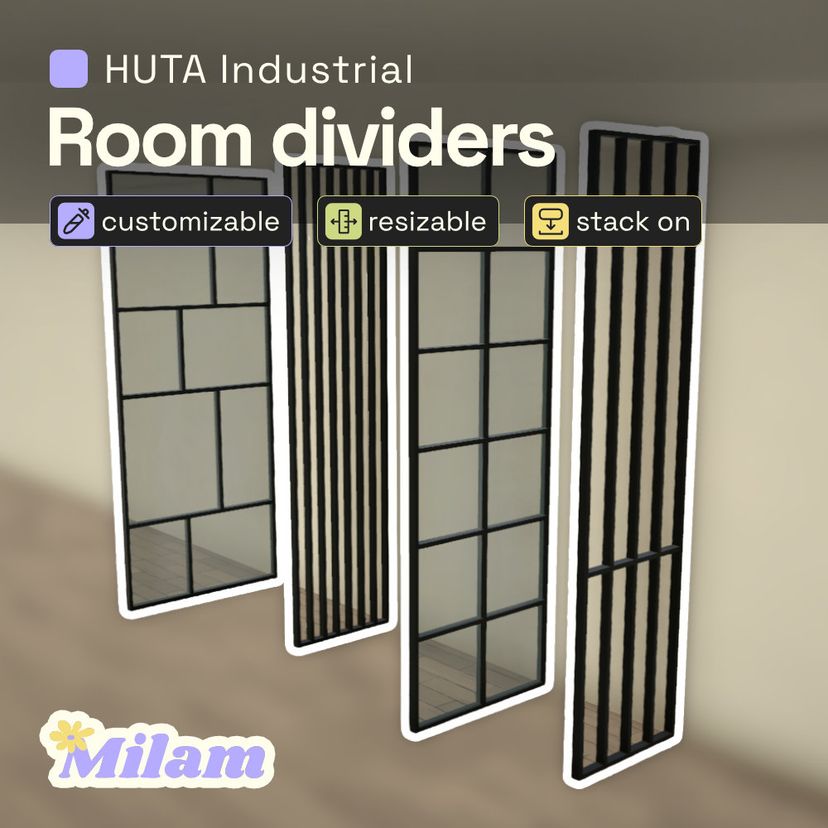
HUTA Industrial Dividers

Workshop stats
Lifetime subscribers
Current subscribers
Lifetime favorites
Views
File size
Last updated
Published
Screenshots

Mod description
Industrial Room Dividers are resizable items in the Architecture - Misc category that you can use as a flexible alternative to walls. You can adjust the width and height of all dividers. Non-glass models can also be adjusted by depth, so you can stack items on them if you wish to use them as fences or shelves.
Contains
→ Flat Ends Divider [variants] ↘ Basic [resizable width, height & depth, stacked on] ↘ Wide [resizable width, height & depth, stacked on] ↘ Glass [resizable width & height] → Flat Ends MidBar Divider [variants] ↘ Basic [resizable width, height & depth, stacked on] ↘ Wide [resizable width, height & depth, stacked on] ↘ Glass [resizable width & height] → Grid Divider [variants] ↘ Basic [resizable width, height & depth, stacked on] ↘ Glass [resizable width & height] → Grid Asym Divider [variants] ↘ Basic [resizable width, height & depth, stacked on] ↘ Glass [resizable width & height]
Milam @lawendowalaka
Written by the mod author on the Steam Workshop and shown in its original language.
More mods of this type
The most subscribed mods with the same Workshop tag. The number on each card is its lifetime subscribers.