 Bases
Bases
설명
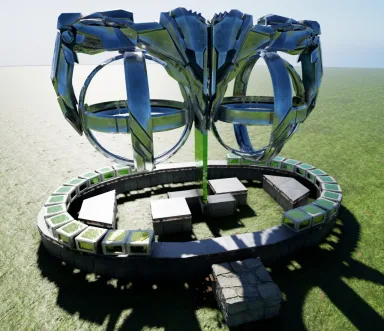
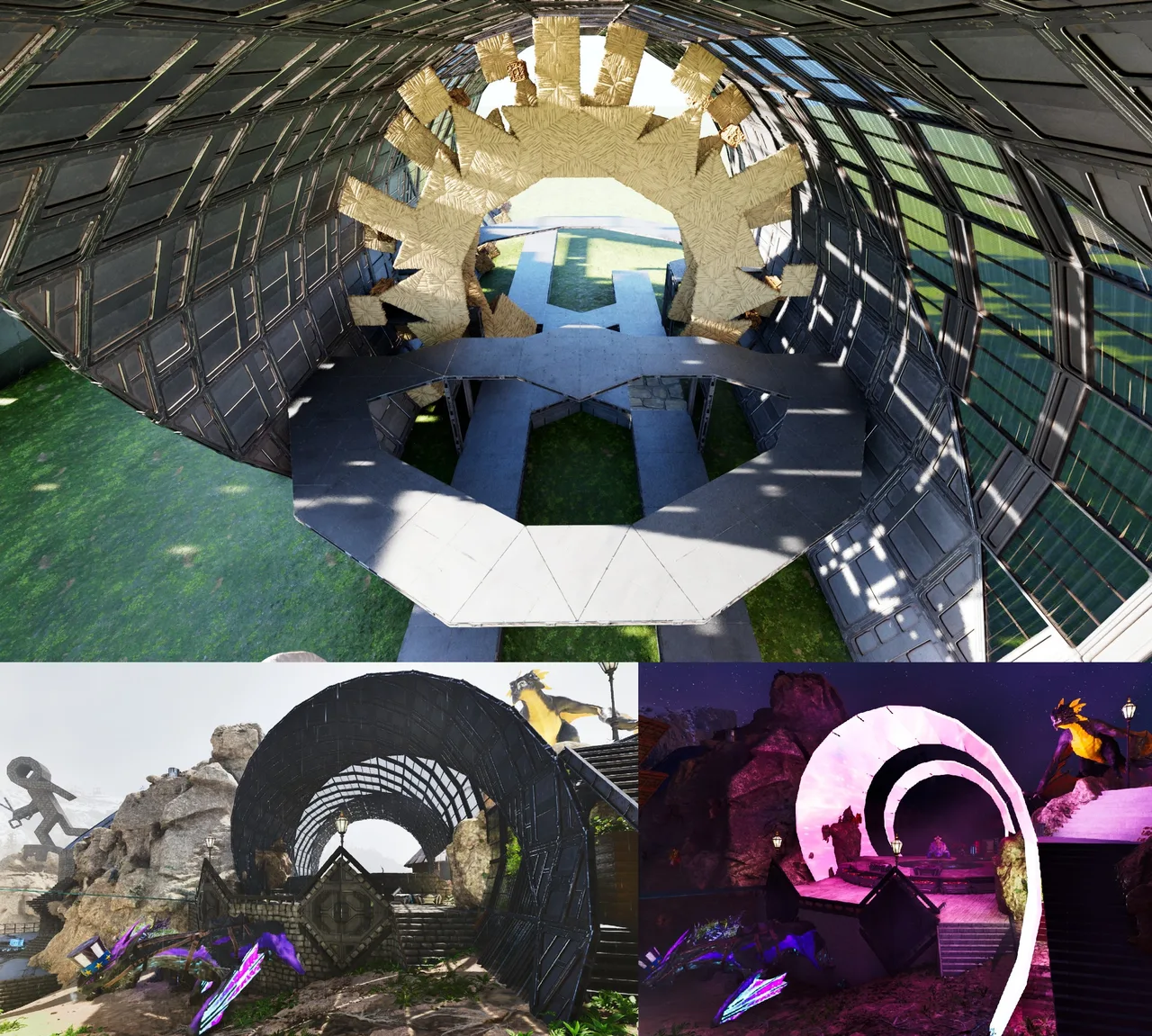
This creates a 24 sided Base-Ribbon from 2 foundations who build everything "clockwise" [2x 12sided circle plates] - remove thatch, THATS ALL u need to do It was Originally designed to be "placed deep" so that the last walls are sunken in and being purely held up by the normal foundations & therefor relies on the connection between the ring & foundations to stay up! That being said, i added pillars on the lowest walls ends (8 overall), that can keep the loop standing alone (for 99.99%, if placed high enough ofc ... see screen) there are 2 pillars for each "circle side", on the sloped walls, who glue together 6 walls. if you want to skin a pillar or something, feel free to remove some walls to touch a pillar, just keep the "grid" intact! - if you want to "get foundations back" from an empty loop, do what i did: "pull down any of the circles sides to the ground & use my 'foundation flipper' to get them" - ceilings from the foundations will just regognize the 90° walls on the "left&right" as normal & connect with them, wich means they will hold this entire loop! (as long as we keep that connection alife) ... this also means we can replace a 90° wall witha normal one, for a door, or something! |Building examples: - all foundations & ceilings i placed are ONLY SUGGESTIONS! (and support, i guess) we can fill this loop however we like after all - if you want to "stay with it" just use a "24" sided circle or pill-shape inside as floor to make it part of the loop [as the template has] then you can provide extended support for the loop & make your floor tightly fit - another solid option is to just fill "both ends" with a 12er-plate & skin those with glass or water, to have a full closed interior & just use a ceiling-door to replace one of the lowest walls on the ring as entrance (see last screen) [the small "ears" outside cant be helped...but skinned!] PS: Greenhouse Walls will provide 300% i think thats all Enjoy!
콘솔에서 받는 방법
콘솔 전체 가이드콘솔 플레이어 (PlayStation, Xbox)는 Template Hammer Importer 모드를 사용해 게임 안에서 이 템플릿을 바로 다운로드하고 설치할 수 있습니다.
- 1모드 설치Open the in-game mod browser and search "Wikily" or "Template Hammer Importer".
- 2임포터 제작싱글플레이어 + 크리에이티브 모드에 들어가 Wikily 템플릿 임포터를 제작하세요 (섬유 1개).
- 3템플릿 ID 입력아이템을 사용하고 템플릿 ID(
3064)와 건축 색인을 입력한 다음 설치하세요.



 장식
장식