 装飾
装飾
説明
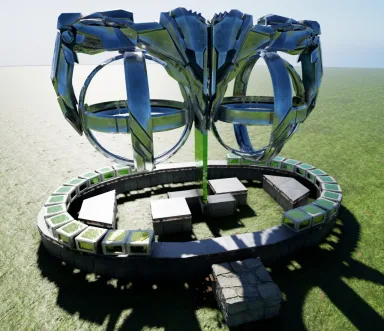
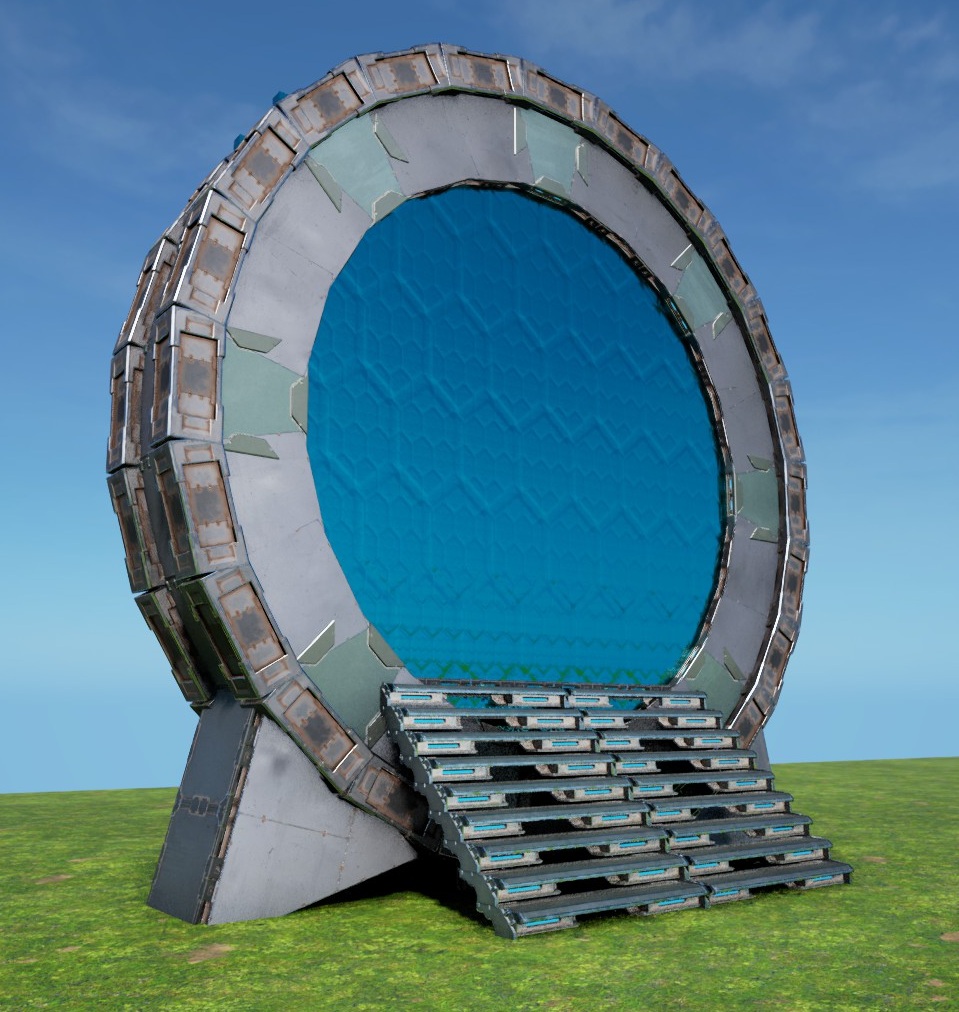
The new Stargate This places a vertical 24sided small-Wall Ring with two Tek Cellar Doors "inside it" (-16 offset) to mimic a "true 9 Chevron Stargate" ! It only took me around 11 Month to get this right again & into an easy instant-build Template, after Wildcard made all "inner-Arches" illegal over the last Year... this one just doesnt use inner Arches at all now & works - just place it low enough that the 2 lowest Pillars in the Ring are ontop/above ground (those 2 will build the entire circle for YOU!) you could place it higher, but then the Gate would start to float, wich looks weird tbh - remove all Thatch get rid of the Ramps & the Scaffolding will just peel off ... the 3 small Foundations just force the Pillars for the CellarDoors & Stairs into existence! - finish the Ring by placing the missing lowest side (Wall, 2 Ceilings & a PillarBeam) these are missing, so this can only build itself correctly! - add a small Stair "in the Back" and cover the Ring's "floor" with 6 small Ceilings [see Screen], so no1 can fall into it & get stuck. Now place the missing Stairs & 2 more down the other Side - Fill the outer Rim with small Pillar Beams (cant leave them in, because of the 40-Piece limit...) - the Triangles on the Sides are only there to cover-up the lower Parts of the CellarDoors, replace them if you want to, or find a better cover-up, they are of no consequence for the circle! Thats it! PS: if you really want to, i guess it could be possible to integrate this into a ceiling floor & have it look like the "round Stone Portal" on ceilings ... its a bit tricky, but the foundation in the front & the stairs in the back, could be used to have this "inside a base", but its not designed for it! [the foundation is just positioned below the cellar door,like on all my gates so far, so the ceilings from the stairs are just "half a wall higher" inside the circle] Enjoy an ancient Alteran Marvel of Engineering in YOUR Base!
コンソールでの入手方法
コンソール向け完全ガイドコンソール (PlayStation、Xbox) のプレイヤーは、Template Hammer Importer Modを使って、このテンプレートをゲーム内で直接ダウンロードして設置できます。
- 1ModをインストールOpen the in-game mod browser and search "Wikily" or "Template Hammer Importer".
- 2インポーターをクラフトシングルプレイ + クリエイティブモードに入り、Wikily Template Importer (繊維1個) をクラフトします。
- 3テンプレートIDを入力アイテムを使い、テンプレートID
3049と建築インデックスを入力して設置します。


 基地
基地