
How to Host an Enshrouded Dedicated Server
Keep your Enshrouded world online for up to 16 players, also while you are not playing. Keen Games gives the server away for free; it is made for Windows.
What you need
A 64-bit Windows PC that stays on while people play, and SteamCMD, Valve's free command-line tool for downloading Steam servers. The server is Steam app 2278520, an 8.1 GB download with an anonymous login: that PC needs no copy of the game and no Steam account.
A new world with nobody online starts in under 15 seconds and uses about 0.7 GB of RAM, and more as players join. For scale, Wikily Servers gives an 8-player Enshrouded server 8 GB of RAM and 4 CPU threads, and a 16-player server 12 GB and 6 threads.
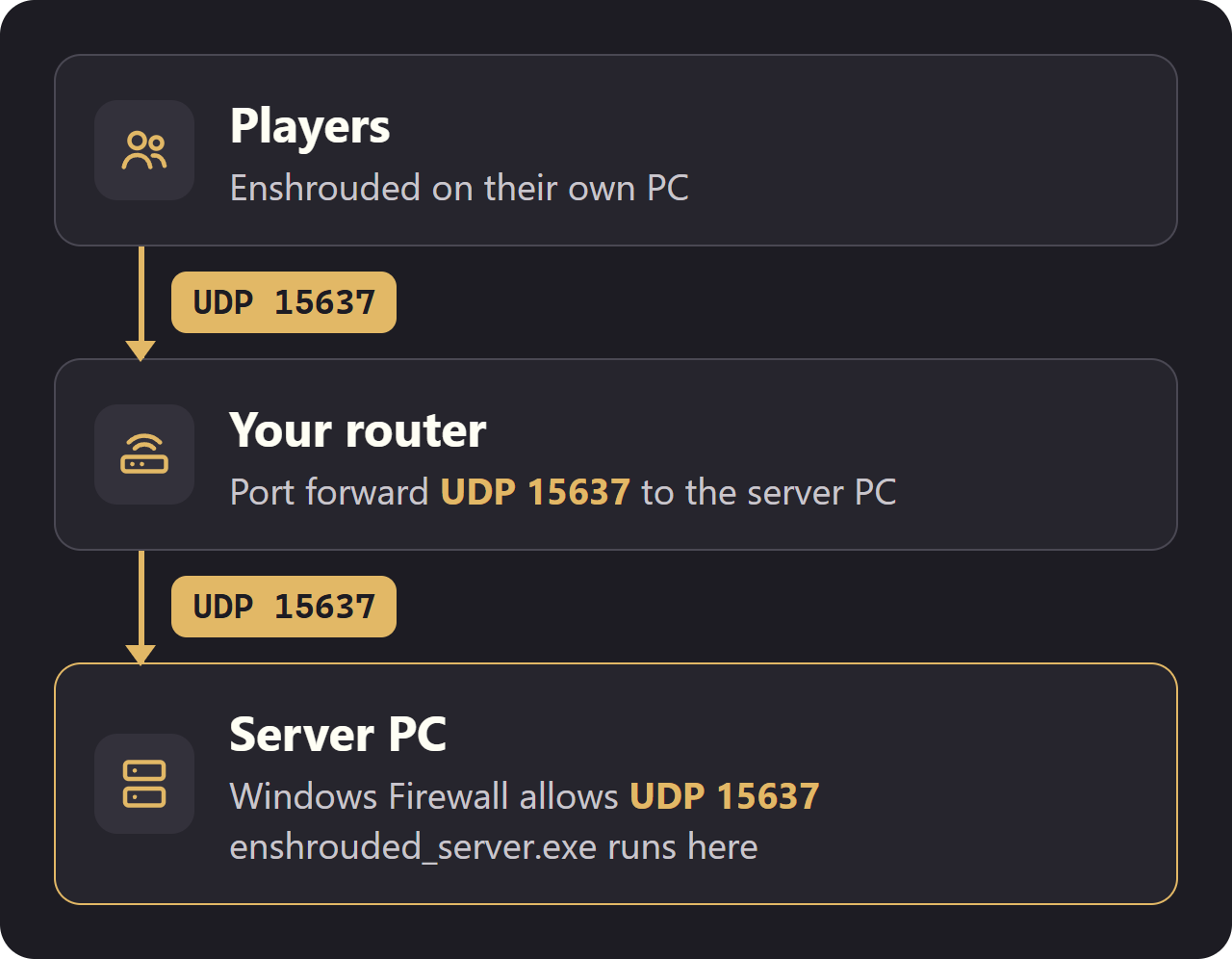
Players connect over one port, UDP 15637. If friends outside your home will join, you forward that port on your router (see Ports and firewall below).
Checked with the Steam server build of 30 October 2026 (version 1.0.0.0).
Install the server
1. Download SteamCMD from Valve and unzip it to C:\steamcmd.
2. Open PowerShell or Command Prompt and run this line. It downloads the server (8.1 GB) to C:\enshrouded-server:
C:\steamcmd\steamcmd.exe +force_install_dir C:\enshrouded-server +login anonymous +app_update 2278520 validate +quit
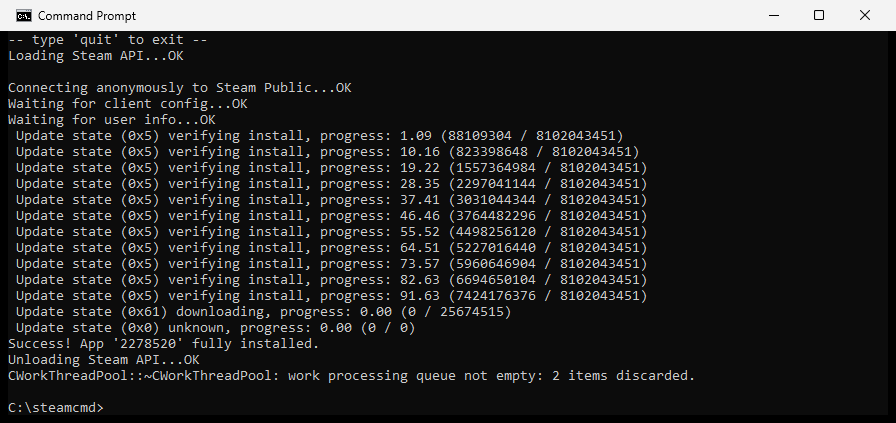
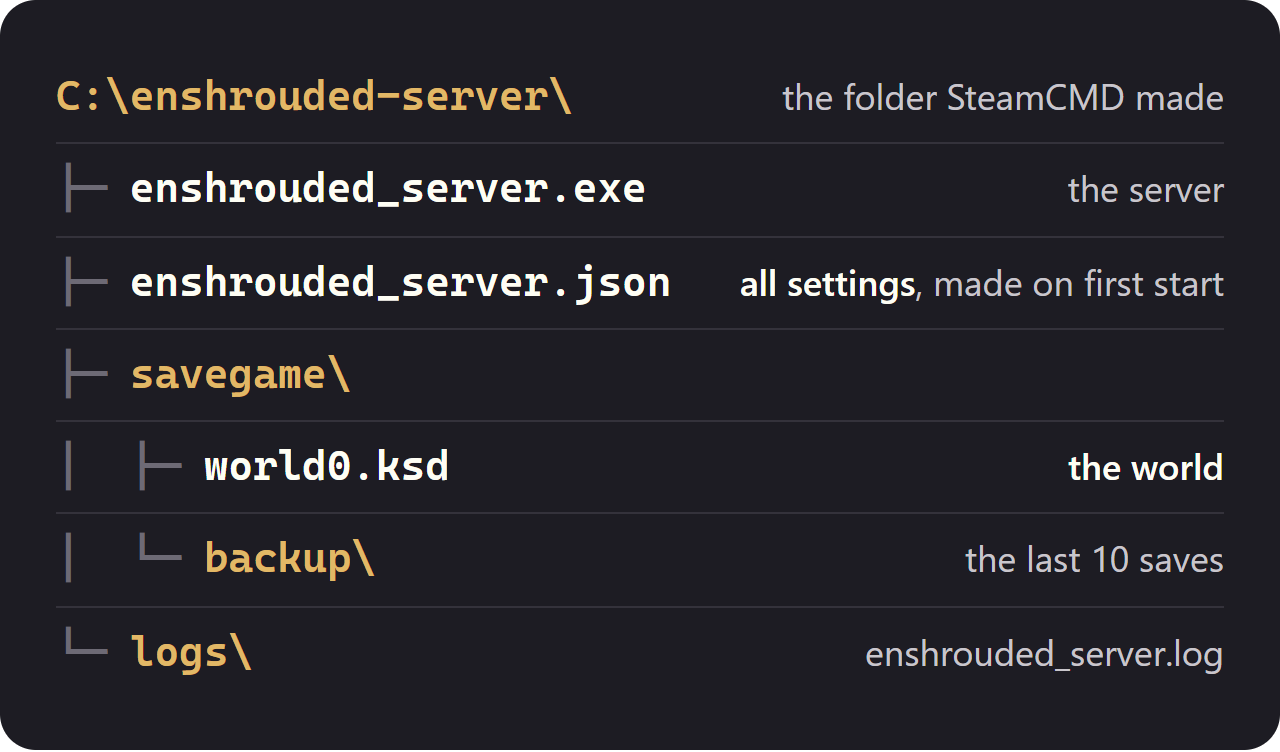
3. Run C:\enshrouded-server\enshrouded_server.exe. All it has is a text window: once [Session] 'HostOnline' (up)! appears there, players can join.
There is no Linux build, but the Windows server works under Wine. Tell SteamCMD to fetch the Windows files. On Ubuntu 24.04:
sudo add-apt-repository universe sudo add-apt-repository multiverse sudo dpkg --add-architecture i386 sudo apt update sudo apt install steamcmd wine wine64 xvfb steamcmd +@sSteamCmdForcePlatformType windows +force_install_dir ~/enshrouded-server +login anonymous +app_update 2278520 validate +quit cd ~/enshrouded-server xvfb-run -a wine enshrouded_server.exe
Accept the Steam licence when apt asks. xvfb-run gives Wine a virtual screen. Tested with Wine 9.0 from Ubuntu 24.04. The settings file, the save and the port are the same as on Windows.
First start and the files
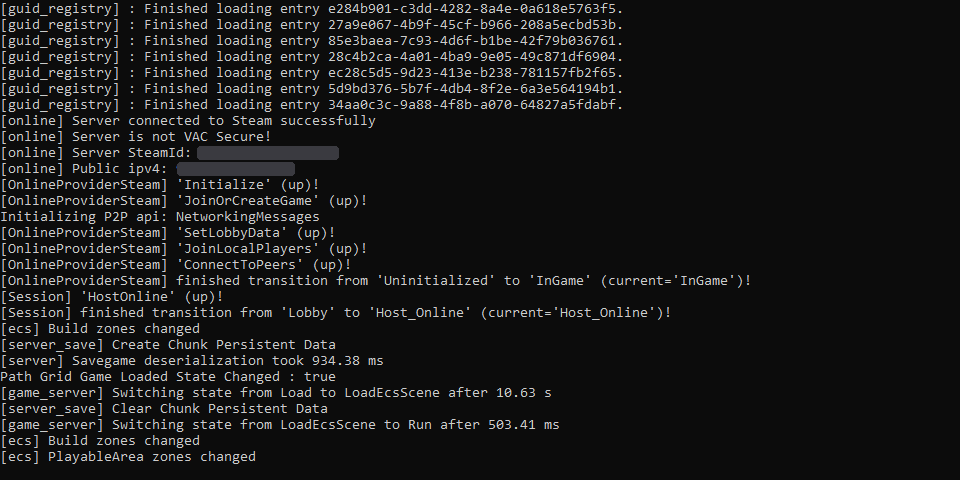
After one run, enshrouded_server.exe has company: enshrouded_server.json (the settings), a savegame folder with the world and a logs folder.
Edits only count while the server is off: close it, change enshrouded_server.json, start it again. Closing the console window saves the world and shuts the server down cleanly.
Server settings
All settings live in enshrouded_server.json. Values in quotes are text; true, false and numbers have no quotes.
| Setting | Default | What it does |
|---|---|---|
| name | Enshrouded Server | Shown to players when they search for servers. |
| slotCount | 16 | How many players fit, 16 at most. |
| queryPort | 15637 | The UDP port players connect to. |
| ip | 0.0.0.0 | The address the server listens on. 0.0.0.0 means every network card of the PC. |
| gameSettingsPreset | Default | Default, Relaxed, Hard, Survival or Custom. Only Custom uses the values under gameSettings. |
| tags | [] | Filter tags for the server list: LookingForPlayers, a language (English, German, French ...), BaseBuilding, Exploration, Roleplay. |
| enableTextChat | false | Text chat on (true) or off (false). |
| enableVoiceChat | false | Voice chat on (true) or off (false). |
| voiceChatMode | Proximity | Proximity: players hear who is near. Global: everyone hears everyone. |
| saveDirectory | ./savegame | Folder of the world save. |
| logDirectory | ./logs | Folder of the log files. |
| userGroups | 4 groups | Passwords and permissions, see Passwords and roles. |
| bannedAccounts | [] | Banned players. Admins ban from the Social tab in the game. |
With gameSettingsPreset set to Custom, the 38 values under gameSettings set the difficulty: enemy damage and health, XP, resources, day and night length, hunger, the Shroud timer and more. They are the settings of the game's Customize Difficulty menu.
| Key | Default | Range |
|---|---|---|
| experienceCombatFactor | 1 | 0.25 to 2 |
| experienceExplorationQuestsFactor | 1 | 0.25 to 2 |
| resourceDropStackAmountFactor | 1 | 0.25 to 2 |
| miningDamageFactor | 1 | 0.5 to 2 |
| randomSpawnerAmount | Automatic | Few, Normal, Automatic, Many, Extreme |
| enemyDamageFactor | 1 | 0.25 to 5 |
| dayTimeDuration | 1800000000000 | 30 minutes. 2 to 60 minutes, in nanoseconds: 1 minute is 60000000000 |
| nightTimeDuration | 720000000000 | 12 minutes. 2 to 60 minutes, in nanoseconds |
| tombstoneMode | AddBackpackMaterials | AddBackpackMaterials, Everything, NoTombstone |
A new enshrouded_server.json, with the long lists shortened:
{ "name": "Enshrouded Server", "saveDirectory": "./savegame", "logDirectory": "./logs", "ip": "0.0.0.0", "queryPort": 15637, "slotCount": 16, "tags": [], "voiceChatMode": "Proximity", "enableVoiceChat": false, "enableTextChat": false, "gameSettingsPreset": "Default", "gameSettings": { ... 38 settings, see World Settings ... }, "userGroups": [ ... Admin, Friend, Guest, Visitor ... ], "bannedAccounts": [] }
Passwords and roles
Instead of one server password, Enshrouded has user groups. Give a friend the Friend password and they join as a Friend; give them the Admin password and they join as an admin. The four groups in a new file have random passwords, so replace them with your own first.
| Group | Build in bases | Open chests | Change the world | Flame Altars | Kick and ban |
|---|---|---|---|---|---|
| Admin | Yes | Yes | Yes | Yes | Yes |
| Friend | Yes | Yes | Yes | No | No |
| Guest | No | No | Yes | No | No |
| Visitor | No | No | No | No | No |
Outside the bases, everyone plays normally except Visitors. Open chests is about storage and crafting stations inside player bases; loot chests out in the world are always open. Flame Altars means placing, upgrading and removing them.
reservedSlots keeps that many places free for a group, so an admin can still get in when the server is full.
"userGroups": [ { "name": "Admin", "password": "YOUR-ADMIN-PASSWORD", "canKickBan": true, "canAccessInventories": true, "canEditWorld": true, "canEditBase": true, "canExtendBase": true, "reservedSlots": 1 }, { "name": "Friend", "password": "YOUR-FRIENDS-PASSWORD", "canKickBan": false, "canAccessInventories": true, "canEditWorld": true, "canEditBase": true, "canExtendBase": false, "reservedSlots": 0 } ]
The example shows two of the four groups: keep the other two in your file if you use them. For a fifth group, duplicate a block, rename it, give it its own password and switch the permissions you want on with true.
Ports and firewall
Players connect on one port: UDP 15637, the queryPort in the settings.
Let the port through Windows Firewall. Run this once in PowerShell as administrator:
New-NetFirewallRule -DisplayName "Enshrouded server" -Direction Inbound -Protocol UDP -LocalPort 15637 -Action Allow
For players outside your home network, forward UDP 15637 on your router to the local IP address of the server PC. If you change queryPort, forward that port instead.
Join the server
1. In the game's main menu, open Join. 2. Tick Show dedicated server and type the server's name in Filter server names. Or type its IP address in Find server ( IPv4 address ) and pick Add Server. 3. Select the server, choose Join (Enter password) and type the password of your group.
Players on the same network as the server use its local IP address, everyone else the public IP address of the router.
Saves, backups and updates
The world is savegame\world0.ksd. The server saves it every few minutes at most while it runs, and when it shuts down. The last 10 saves rotate through savegame\backup as world0.ksd.backup-0 to -9. Which one is newest changes all the time; sort them by date.
To make a backup, stop the server and copy the whole savegame folder. To update, stop the server and run the SteamCMD line from the install step again: it downloads only what changed and keeps the save and the settings.
Steam updates the game on its own, but not the server. After a game patch, players see The build version of this server is older than yours until you update the server.
Common problems
The console closes at once: Internal Error: Failed to parse Config
enshrouded_server.json has a typing error, most often a missing or extra comma or quote in the line you changed. The server does not start until the file is valid JSON again; it does not replace the file.
My changes to enshrouded_server.json do nothing
The server reads the file when it starts. Stop it, save the file, start it again.
My game settings are ignored
gameSettings is only used when gameSettingsPreset is Custom. With Default, Relaxed, Hard or Survival the preset's values apply.
Joining failed. The password is invalid.
The password matches no user group. Copy it from enshrouded_server.json exactly, without the quotes.
A player got the wrong permissions
Players land in whichever group's password they entered. Send them the right one and let them join again.
Friends outside my home cannot connect
Check that UDP 15637 is forwarded on the router to the right local IP, that the firewall rule exists, and that the console showed HostOnline. Forward UDP, not TCP.
The build version of this server is older than yours
The game got a patch and the server did not. Stop the server and run the SteamCMD line again.
Questions
Do I need to own Enshrouded to host a server?
No. SteamCMD downloads the server with an anonymous login. Only the players need the game.
How many players can join an Enshrouded server?
Up to 16. slotCount in enshrouded_server.json sets the limit, from 1 to 16.
Which port do I forward for an Enshrouded server?
UDP 15637, the queryPort setting. Forward it on your router and allow it in Windows Firewall.
Does the server have to run all the time?
Players can only join while it runs. For friends to play while you are offline, the server's PC stays on 24/7.
Can I run an Enshrouded server on Linux?
There is no Linux build, but the Windows server runs under Wine. We ran it on Ubuntu 24.04 with Wine 9.0.
How do I become admin on my Enshrouded server?
Join with the password of the Admin group in enshrouded_server.json. That group can kick and ban players and change everything in bases.