基地
基地描述
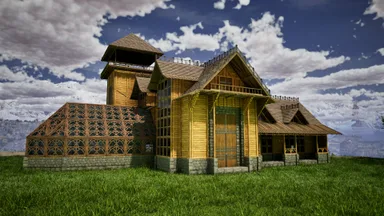
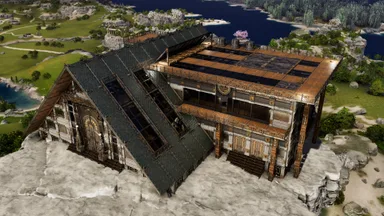
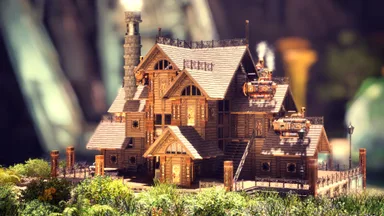
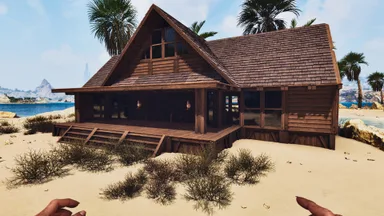
NEMEZIZ LOOKOUT S0 V2 — QUICK PLACEMENT GUIDE Goal Lock the template into the sea-facing orientation and reduce the remaining lower C-support placement failures. What changed - Added a keyed front orientation anchor on the clear greenhouse façade side. - The anchor consists of 3 longer front Tek pillar stacks arranged to match a manual 3-foundation L. - Removed 4 lower terrain-sensitive C-support pieces that were the most likely non-placers. Manual setup before placing the template 1. On the sea-view side, place 3 Tek foundations in an L-shape: [F][F] [F] 2. Place them on the vacant plot and lower them slightly into the terrain if needed, so the anchor pillars can connect cleanly. 3. Bring in the template and snap it so the three front anchor pillars line up with that L. Expected orientation - Greenhouse / clear façade faces the ocean. - C-shaped support side faces the mountain / rear. After the build - The front anchor pillars are installation helpers. If the finished build is fully supported and you do not want them, you can remove the helper anchor pieces afterwards.
主机端获取方法
完整主机指南主机玩家(PlayStation、Xbox)可以使用 Template Hammer Importer 模组,直接在游戏内下载并放置此模板。
- 1安装模组Open the in-game mod browser and search "Wikily" or "Template Hammer Importer".
- 2制作导入器进入单人 + 创造模式,制作 Wikily 模板导入器(1 个纤维)。
- 3输入模板 ID使用该物品,输入模板 ID
3015和建筑索引,然后放置。