İçeriğe geç
WikilyWIKILY
Tüm oyunlar22 viki · oyununuzu seçin
WikiYapı Şablonları

Oyun değiştir

22 viki · oyununuzu seçin
Şablonlara göz at

Üsler

Tetraeder Toolset

mho15 Eyl 2026 tarihinde yüklendi
  • 77yapılar
  • 2Yapılar
  • 6İndirmeler
  • 1Beğenmeler
Template ID3066Konsol Rehberi
Beğenmeler: 1

Açıklama

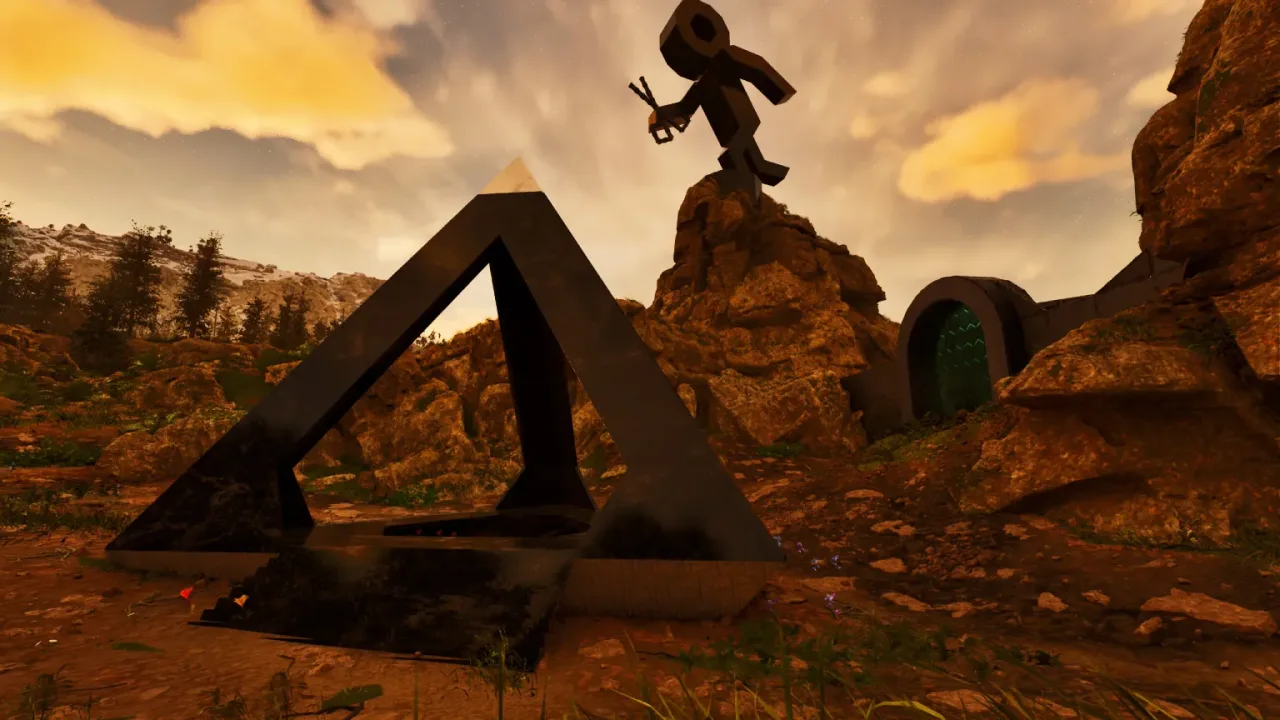
Tetraeder Creation Toolset These 2 "Tools" are all YOU need to create 70.5° Tetraeder's ANYWHERE! (4 sided "Pyramids" build from ONLY Triangles) - Just build a Triangle at whatever Size you want(up to around ~50,then you reach the max Height limit in ARK) - Use a small Wall (to guarantee snap Direction), glue the 70.5° Flipper to it & build the one Foundation, that has the "Floor" facing outward - Add some Triangle Ceilings to that Foundation & catch the Angle with a (thin)Pillar !!![make sure there is NOTHING above the Pillar on placing & it doesnt touch the Foundation, or you might end up with a "not-Foundation" Pillar]!!! - Add a (thin)Beam to the 70.5° Ceiling to glue the Floor & the Angle together (Pillars placed on the 70.5° Angle will be "invisible" and give you a smooth outer Wall without Bumps!) - Do that for all 3 Sides(or the 6 Corner Sides) and you got a Tetraeder! To add Floors use the "Tetraeder Floor-Creator" (up to 25 Floors Height... was limited by the Hammers reach!) - Choose any Side & add an Foundation "L" (or whatever) you need a "north-turned" Snappoint, so just add a small Pillar Beam to a Foundation & that will give you the "forward/North-turned Snap" ...the more distance you give this, the easier it is for the hammer to actually find the right snap... (see Screen) - Place normal Pillars on the Scaffolding until you reach the desired Height & add a small Wall, that will allow you to place Ceilings "Inside" - Use thin Pillars on the 70.5° Sides as Glue to hold the Floors (i would glue them into the Corners, but up to YOU ofc!) - Remove all Scaffolding Fill/close them however YOU like, just know, since its ONLY Triangle Ceilings, the Numbers add up QUICK! To close the Gap between the Ground and the Floor, you can snap ramps to the 70.5° and use "Triangle-Roof-Corners" to close this perfectly (like its made for This) I have one standing around my Well on Ragnarok for over a year now & its just n0ice, i think! PS: choose ONE Floorplate(Orientation)! ... for example: a "north turned" build triangle floor cant/wont connect to "different turns" of Triangles, thats why i didnt release "Tetraeder Corners", the 3 Floors wouldnt want to connect without extra Pillars, soo try ur best & keep it all "ONE BUILD Direction" to avoid support issues! Enjoy building YOUR own 70,5° Tetraeder's!

Konsolda nasıl edinilir

Tam konsol rehberi

Konsol oyuncuları (PlayStation, Xbox) bu şablonu Template Hammer Importer modunu kullanarak oyun içinde doğrudan indirip yerleştirebilir.

  1. 1Modu yükleOpen the in-game mod browser and search "Wikily" or "Template Hammer Importer".
  2. 2Importer'ı üretSingleplayer + Creative Mode'a girin ve Wikily Template Importer'ı üretin (1 Lif).
  3. 3Şablon ID'sini girEşyayı kullanın, Şablon ID'si 3066 ile yapı dizinini girin, ardından yerleştirin.

Yapılar2 files

  • 1

    70,5° Tetraeder Flipper

    6 yapı

    Şablon kimliği: 3066 · Yapı: 0

  • 2

    Tetraeder Floor Creator

    71 yapı

    Şablon kimliği: 3066 · Yapı: 1

    mho tarafından daha fazlası

    Tümünü Görüntüle
    Üsler115

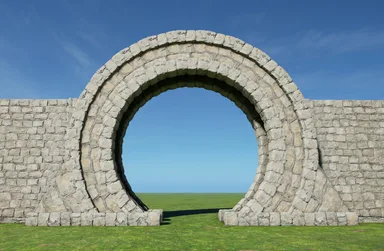
    round Stone Portal + slim version

    A round Stone Portal ...creative name , i know .... This places most sides of a 24sided small wall triangle circle, sunken into the ground to ...well, look fancy ;) >>> to my dismay i must admit, i didnt test this on official, because its such a simple build, BUT ofc official & its dumb "40 pieces in an area-rule" made this a "broken" template & since the game doesnt allow me to give you a fully done portal, i made a SLIM VERSION without pillars !<<< ...sry.... you can ofc snap this to existing foundations, but to get the best look, id say, place this by hand! & build your wall from there, otherwise you might have "holes & such" visible - to get the best result, place this low enough, so that the horizontal pillar-beams just barely dont touch the ground - if placed lower, some of the lowest walls/ceiling/pillars might not autobuild, but the scaffolding exist, so you will be able to build these "missing" pieces by hand, even if the hammer doesnt (the fully build one on the first screen does not use the lowest sides either btw! but, if wanted/placed high enough, you could) - remove all thatch - add the missing horizontal pillars on the ground & those on the outer small walls (if i leave those, the pillars in the circle are blocked for the hammer) [if you use the SLIM VERSION, you have to add all the pillar beams on the inner & outer rim, because wildcard has issues with more then 40+ pieces in an area...] feel free to choose if you want to have foundations in the pathway or not & you could also fill the circles floor itself with small foundations, by offsetting them with a small pillar by 1/4 (as you can see in the screenshot) hope YOU enjoy it

    • 422 yapılar
    • 2 Yapılar
    • 6 Beğenmeler
    • Vanilla
    mhoStone Age26 Ağu 2026
    Dekoratif95

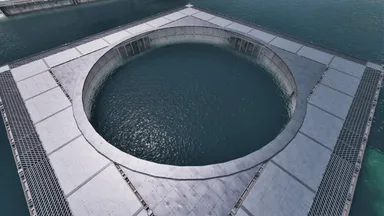
    Round 48 sided Ocean Platform Pool

    This places a 48 sided Wall-Ring (+16height offset) over any Ocean Platforms Pool - add a [north turned]Ceiling in the "bottom right corner" (leave the corner itself open) and snap this Template to that ceiling - platforms are basically a giant foundation, so when you place one infront of you, its "north turned"! - the 4 extra foundations place a pillar & beam each (offset by 8 height & 8 distance). these interconnect the ring & the platform on all 4 sides! after removing all thatch, feel free to use the circle however you like! its fully supported/connected to the platform after all! PS: the lonely pillar in the center , only exists as "grab point" for the template (ignore it)! enjoy

    • 355 yapılar
    • 9 Beğenmeler
    • Vanilla
    mhoStone Age16 Ağu 2026
    Üsler81

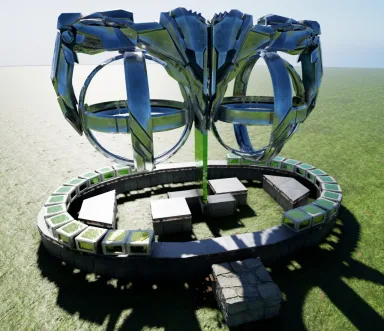
    The Twin-Repli Crafting Oval

    This places a small Foundation Oval +16 offset above a normal Floor and adds two half Circles of Dedi's [26], with the Twin-Replicators centered inside the Oval - You can snap this to any existing Foundation Grid, no matter the Height [up to ~3/4 of a wall high] As long as you have a 9x6 Hole in your Foundations & a "North-turned" snap-Point. - If its placed too low for the 90°Foundations, the 2 Failsafe Pillars will create the two 90° Ceilings! so no worries - The Foundations inside the Oval are only Suggestions [at the right height]. if you want to fill it "standalone", use the Triangles on the Outside, otherwise, just "cut" normal Ceilings trough the entire Oval's Foundations, as well as over the 90°ones. - to close this, fill the Dedi half Circles to "3-stacks", then close the Ovals walls & finish it with a rim of quarter Ceilings ontop & you have a standalone Crafting Oval! for the Dedi-Plate Version(wich goes up to 126 dedis): - make sure its placed 5 Steps High and i guarantee you, all will build Flawlessly! - if its too low, the Failsafe Pillars will kick in & build the 90° parts for you, but then you will have to pick up the Cellar-Doors, build Ceilings & Dedis in the Center & then replace the Cellar Doors, on the 90°Beams! (Dedis can not be placed after the Cellar-Doors!) enjoy

    • 200 yapılar
    • 2 Yapılar
    • 3 Beğenmeler
    • Vanilla
    mhoStone Age8 Ağu 2026
    Dekoratif68

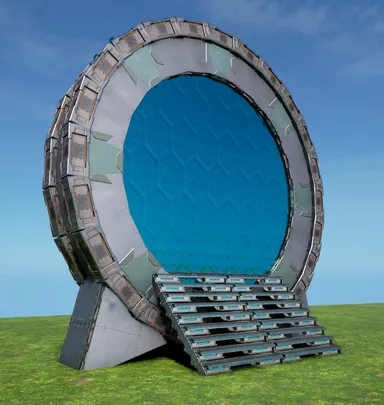
    new Stargate

    The new Stargate This places a vertical 24sided small-Wall Ring with two Tek Cellar Doors "inside it" (-16 offset) to mimic a "true 9 Chevron Stargate" ! It only took me around 11 Month to get this right again & into an easy instant-build Template, after Wildcard made all "inner-Arches" illegal over the last Year... this one just doesnt use inner Arches at all now & works - just place it low enough that the 2 lowest Pillars in the Ring are ontop/above ground (those 2 will build the entire circle for YOU!) you could place it higher, but then the Gate would start to float, wich looks weird tbh - remove all Thatch get rid of the Ramps & the Scaffolding will just peel off ... the 3 small Foundations just force the Pillars for the CellarDoors & Stairs into existence! - finish the Ring by placing the missing lowest side (Wall, 2 Ceilings & a PillarBeam) these are missing, so this can only build itself correctly! - add a small Stair "in the Back" and cover the Ring's "floor" with 6 small Ceilings [see Screen], so no1 can fall into it & get stuck. Now place the missing Stairs & 2 more down the other Side - Fill the outer Rim with small Pillar Beams (cant leave them in, because of the 40-Piece limit...) - the Triangles on the Sides are only there to cover-up the lower Parts of the CellarDoors, replace them if you want to, or find a better cover-up, they are of no consequence for the circle! Thats it! PS: if you really want to, i guess it could be possible to integrate this into a ceiling floor & have it look like the "round Stone Portal" on ceilings ... its a bit tricky, but the foundation in the front & the stairs in the back, could be used to have this "inside a base", but its not designed for it! [the foundation is just positioned below the cellar door,like on all my gates so far, so the ceilings from the stairs are just "half a wall higher" inside the circle] Enjoy an ancient Alteran Marvel of Engineering in YOUR Base!

    • 224 yapılar
    • 2 Beğenmeler
    • Vanilla
    mhoStone Age10 Eyl 2026

    Benzer şablonlar

    Tümünü Görüntüle
    Üsler12,5k

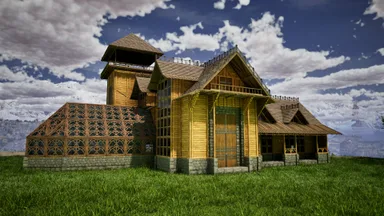
    Tony's Workshop

    All-in-one base with greenhouse. Skins used: - Frontiers -Steampunk - Klinger Additional Skin Cosmetics Rustic GreenHouse

    • 1,5k yapılar
    • 260 Beğenmeler
    • Vanilla
    Üsler7,8k

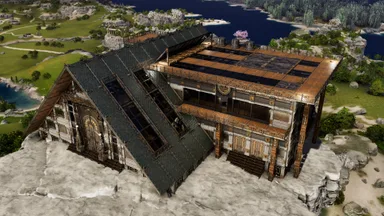
    Aono All in One Base [ARGEN and ANKY]

    This is an official PVE compatible base that allows you to bring in resources using the Argento Anky using a cellar door. It is equipped with a full range of facilities, including an industrial forge and industrial grinder. The layout has been carefully designed to make it easy to bring in resources and craft, making it extremely user-friendly. The skin used is the Steampunk skin from the paid DLC, Bob's Tall Tales. こちらは公式PVE対応のセラードア使ってアルゲンアンキーで資源の搬入が可能な基地です。 インダストリアルフォージやインダストリアルグラインダーなどの設備は一通りそろっています。 資源搬入やクラフトなどがしやすいように配置を工夫して非常に使いやすい設計にしております。 スキンは有料DLC、ボブズトールテイルズのスチームパンクスキンを使用しています。

    • 852 yapılar
    • 205 Beğenmeler
    • Vanilla
    Üsler7,3k

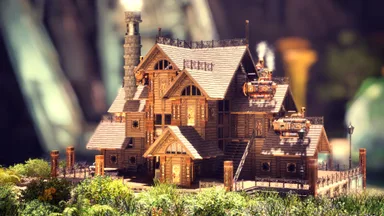
    Epic Steampunk Starter House (LolsAtLance)

    Welcome to my Steampunk Starter House build in ARK: Aberration Ascended made completely from thatch! This build utilizes Bob’s Tall Tales Structure Skins, with a special focus on the Steampunk Skin to transform a simple thatch house into a unique, immersive base. PLEASE WATCH VIDEO TO SEE WHERE TO APPLY SKINS. Whether you’re new to ARK: Survival Ascended or just looking for some inspiration, this steampunk starter house is the perfect blend of style and practicality.

    • 615 yapılar
    • 164 Beğenmeler
    • Vanilla
    LolsAtLanceÖne çıkan yaratıcıTribe Chief26 Haz 2025
    Üsler6,6k

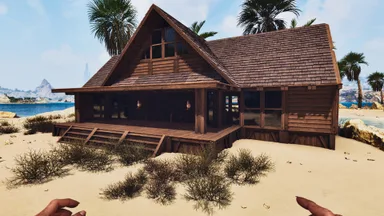
    Basic Bunkhouse with Greenhouse

    All wood bunkhouse with loft and green house. Room for plenty of tribemates and equipment. Skinned in Frontier skins and lit with Frontier oil lamps and chandeliers.

    • 272 yapılar
    • 187 Beğenmeler
    • Vanilla
    Tartışma yükleniyor...