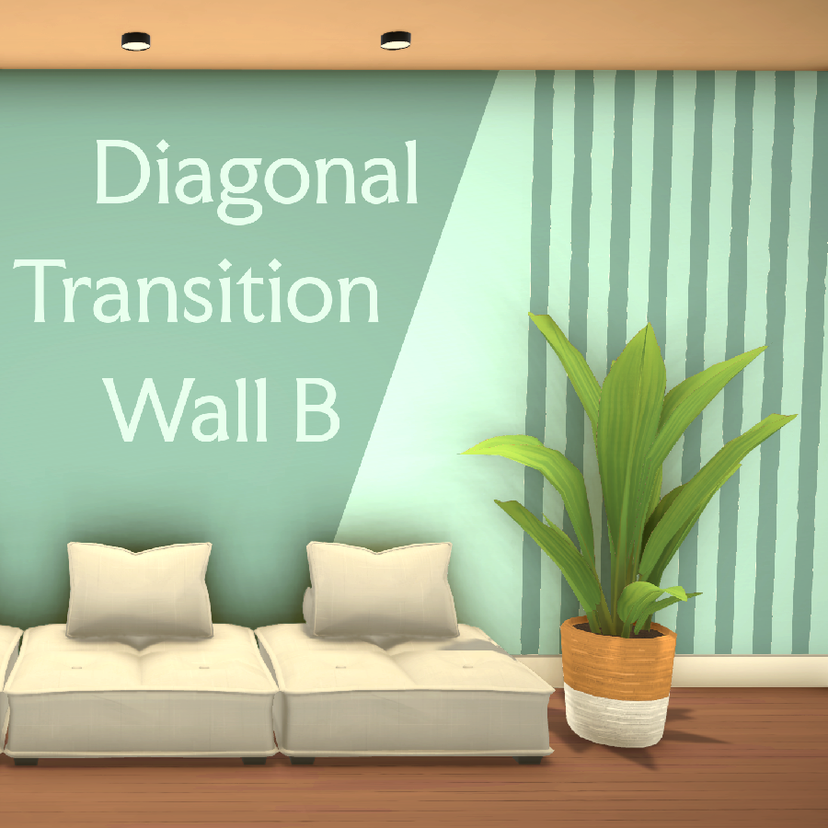
[TEA] Diagonal Transition Wall Paint B

Statistiche del Workshop
Iscritti totali
Iscritti attuali
Preferiti totali
Visualizzazioni
Dimensione del file
Ultimo aggiornamento
Pubblicata
Screenshot

Descrizione della mod
This diagonal wall paint can be used to transition between two paint colors. It generally slants top-left to bottom-right, but sometimes the game flips it the opposite direction (as it occasionally does for all wall coverings). To manage this, you can also sub my "Diagonal Transition Wall Paint A," which slants the opposite direction, bottom-left to top-right.
It has two color zones, so you can choose a different color on each side. It comes with 28 preset color combinations and their opposites (56 total swatches). Use this wall to transition between other wall paints (see preview images for ideas).
Matches my "Untextured Plain Wall Paint" and my "Palette for Untextured Plain Wall Paint" for the main WallPaint palette. Usually won't match the default wall very well (due to the gray textured overlay).
Scritta dall'autore della mod nello Steam Workshop e mostrata nella lingua originale.
Altre mod di questo tipo
Le mod con più iscritti che hanno lo stesso tag del Workshop. Il numero su ogni scheda indica gli iscritti totali.