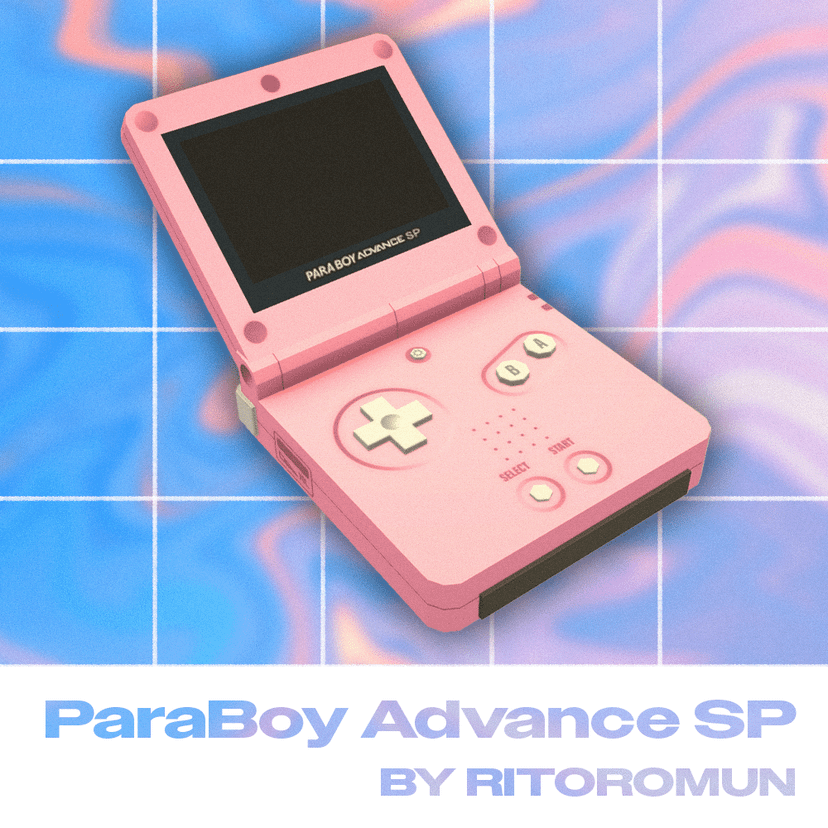
[ritoromun] ParaBoy Advance SP

Statistiche del Workshop
Iscritti totali
Iscritti attuali
Preferiti totali
Visualizzazioni
Dimensione del file
Ultimo aggiornamento
Pubblicata
Screenshot

Descrizione della mod
Escape reality with the ParaBoy Advance SP! Now with a backlit display, so you can play past your bedtime.
Find the little guy inside the Game Consoles Category. Fully recolorable & scalable, in case you want to live inside it.
_______________________
!IMPORTANT! Due to known current issues with the game, the mod needs to manually be moved to the local mod folder in order to work. To do so, follow these steps:
- Subscribe to the mod
- In Paralives, go to "Mods" and then click on the folder icon for this mod to open the mod folder located on your PC
- Move the whole folder called "[ritoromun]ParaBoyAdvance...." to the following location:
C:\Users\USERNAME\AppData\LocalLow\Paralives\Paralives\
- You may have to restart your game – done!
_______________________
Scritta dall'autore della mod nello Steam Workshop e mostrata nella lingua originale.
Altre mod di questo tipo
Le mod con più iscritti che hanno lo stesso tag del Workshop. Il numero su ogni scheda indica gli iscritti totali.